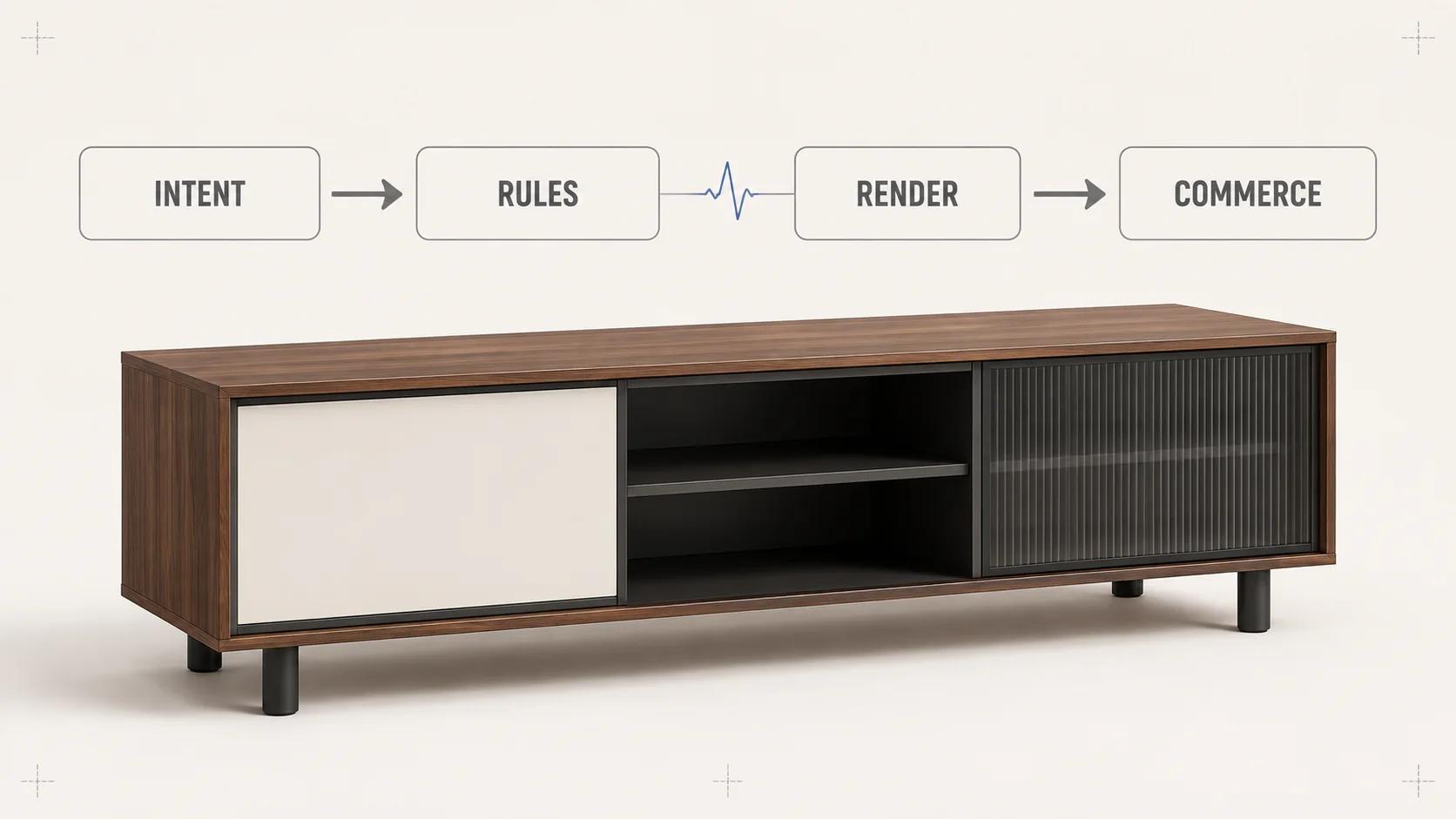
A real-time 3D configurator is a stateful product application with a renderer attached, not a 3D model surrounded by option buttons. A selection should become a valid product state, then a visual state, a price or quote state, and finally a portable order specification. If those steps are mixed together, the screen can show a combination that the factory cannot make, the cart can receive a different SKU, or a fast color change can hide a slow rules request.
The practical architecture is a one-way runtime sequence: capture intent, evaluate product rules, commit one canonical configuration, resolve commerce data, translate the result into render commands, present a stable frame, and persist the same versioned state to the URL, quote or cart. Rendering quality and response time matter, but neither can repair a weak product model.
This guide stays with the client-side runtime: what happens between a shopper's input and the next trustworthy frame, including rendering behavior and interaction performance. For the full-stack design across backend authority, state, integrations and deployment, use the 3D web configurator architecture guide. The broader 3D product configurator pillar defines the complete system.
A real-time configurator is a state pipeline
The runtime needs an authoritative configuration object before it needs a scene mutation. That object might contain a product-family ID, option IDs, quantities, dimensions, locale, currency, rule-set revision and asset-map revision. It should not contain button labels, mesh names or formatted prices as its primary identifiers. Those presentation details change more often than the product definition.
Keep four states separate
A useful design distinguishes the shopper's draft, the rule-approved product, the renderer's applied state and the commerce response. They may be held in one store, but they should remain separate fields with explicit transitions.
| State | What it contains | Who may commit it | Failure behavior |
|---|---|---|---|
| Draft intent | The control the shopper just changed and the requested value | Interface layer | Keep focus and show that evaluation is in progress |
| Valid configuration | Stable option IDs, dimensions, quantities and rule-set revision | Rules service or deterministic local evaluator | Return conflicts, required changes or valid alternatives without touching the order state |
| Render state | Asset IDs, node visibility, material IDs, transforms and camera cue | Render adapter after a valid-state commit | Preserve the last valid frame and expose a recoverable visual error |
| Commerce state | SKU or line components, price/quote response, availability and fulfillment notes | Commerce integration for the same configuration revision | Mark the commercial result stale until the matching response arrives |
This separation prevents optimistic interface feedback from masquerading as acceptance. A swatch can show a pressed state immediately, while the selected product remains unchanged until its dependencies have passed. If a choice forces another option, the interface should present that consequence before committing it rather than silently rewriting the configuration.
Run one deterministic sequence for every choice
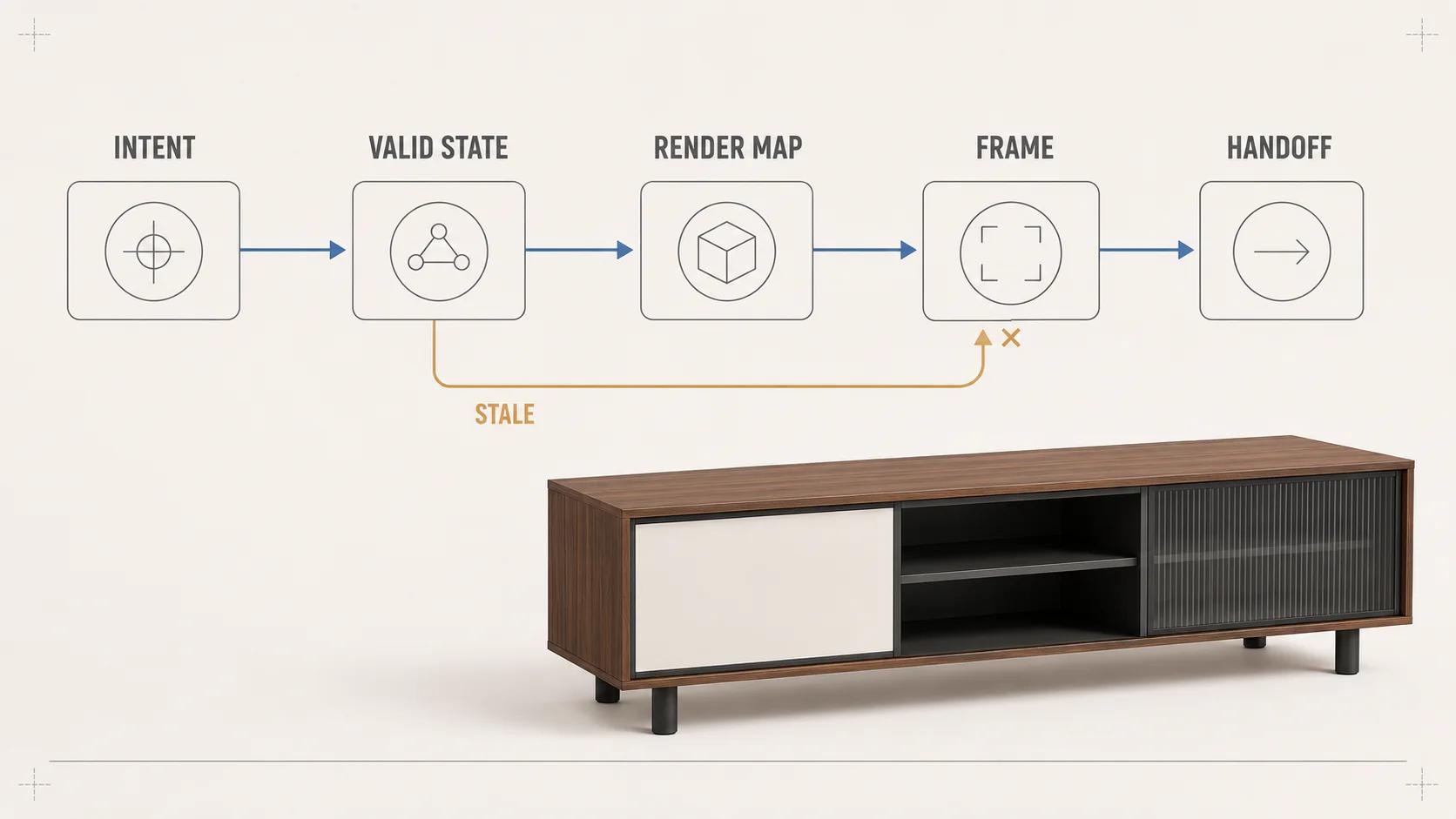
For each input, issue a monotonically increasing transaction ID and carry it through the runtime:
- Read the control's stable option ID and proposed value.
- Evaluate local constraints that can answer without a network call.
- Send the proposed state and rule-set revision to any authoritative remote evaluator.
- Discard a late response if a newer transaction already owns the interface.
- Commit one valid configuration and emit a single state-change event.
- Resolve commerce data and render mappings from that same committed revision.
- Declare the change settled only when the interface, visual state and commercial status identify the same revision.
The renderer may start preloading likely assets, but it should not expose an invalid combination while the rules layer decides. Likewise, a pricing response must not overwrite a newer selection just because its request took longer. Correlation IDs, cancellation and revision checks are more dependable than assuming requests finish in order.
Put product rules upstream of rendering
Business validity belongs in a product model that can run without a canvas. The rule evaluator should be testable with plain configuration objects: given this input and this rule-set revision, either return one valid configuration or a structured conflict. The render adapter then translates that result into scene operations. A mesh visibility callback should never become the only record that an accessory requires a particular frame.
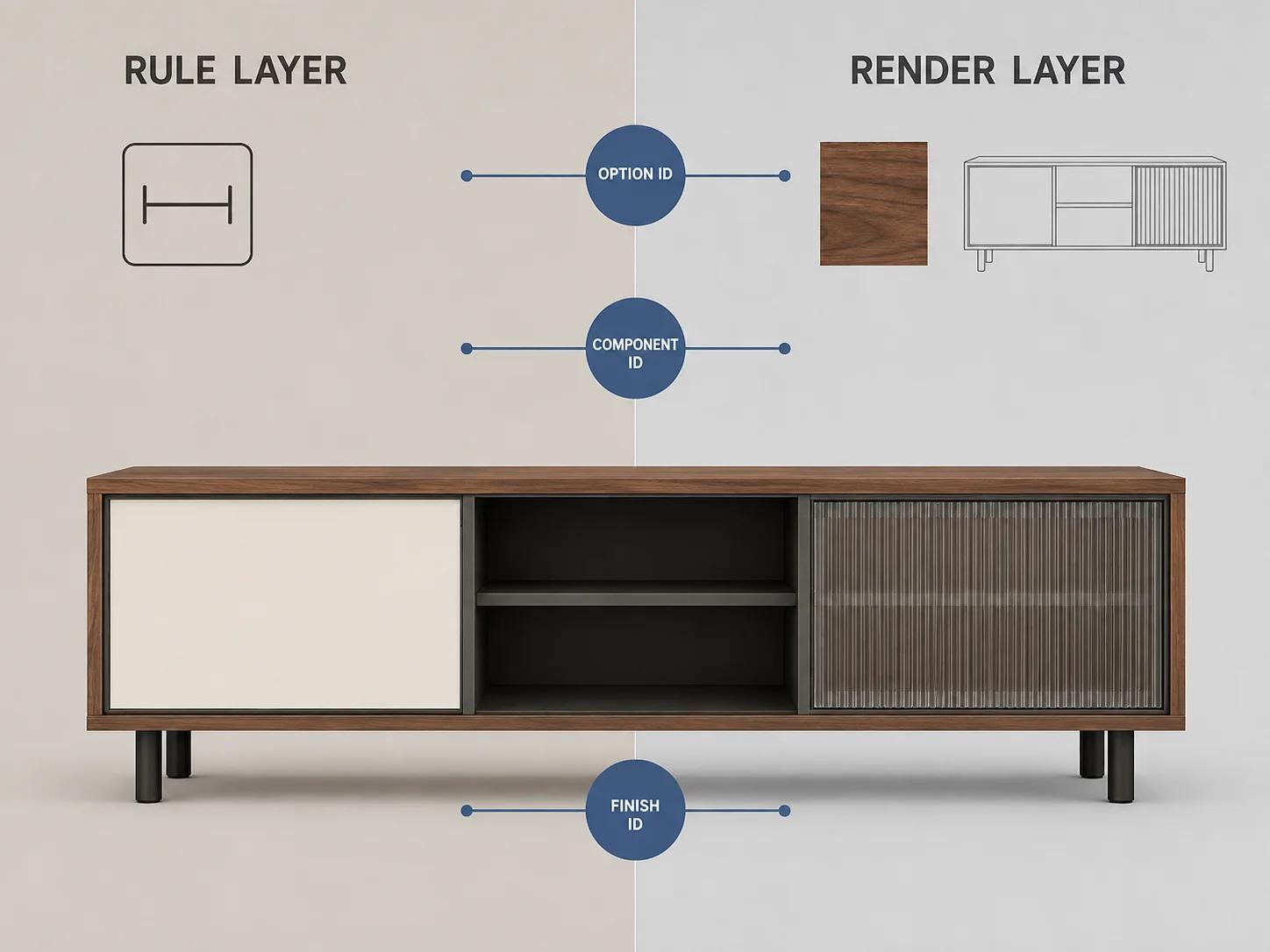
The distinction also keeps visual vocabulary out of the order contract. finish-oak-natural is a useful product ID. Material.017 is an implementation detail. Map the product ID to a material, texture set or asset bundle in a versioned render manifest. The same product ID can then drive a still image, a 3D experience, a quote document and a manufacturing handoff without making those outputs share scene-graph names.
Khronos describes glTF as an API-neutral runtime asset delivery format and explicitly says the format does not mandate runtime behavior.[1] Its material-variants extension provides compact, low-latency switching among finite, premade material sets, but names complex configurator authorship and application-specific business logic as a non-goal.[2] That boundary is useful: an asset can carry approved visual variants without becoming the source of pricing, availability or manufacturability truth.
| Decision | Rule layer owns | Render layer owns | Shared contract |
|---|---|---|---|
| Option availability | Whether the option is valid now and why | Disabled-state cue only when requested by the UI | Stable option ID and reason code |
| Material change | Which finish may be selected for this product state | Material or texture assignment and shader preparation | Finish ID to render-resource mapping |
| Component change | Required, excluded and quantity-dependent components | Node visibility, asset swap or transform | Component IDs and resolved quantities |
| Dimensions | Allowed range, increments and dependent constraints | Parametric transform, morph target or generated geometry | Units, precision and accepted values |
| Price or quote | Calculation authority, currency and response status | No authority; may display only the supplied result | Configuration revision and commerce response ID |
Choose an asset strategy that matches the option graph
A single asset with material variants suits a bounded finish set on shared geometry. Geometry alternatives can use visibility groups or separate assets when components are discrete. Continuous dimensions, engraved text, upholstery repeats or calculated assemblies may need runtime transforms, morph targets, generated textures or server-produced geometry. Treat these as different production paths rather than forcing every product rule into one oversized GLB.
The glTF core can represent scenes, nodes, meshes, materials, textures and animations, so it is a useful delivery layer for resolved visual content.[1] It is not a substitute for an option graph. The KHR_materials_variants design is deliberately finite, premade and holistic; multidimensional variants must ultimately be representable as a flattened list.[2] If flattening color, size, hardware and upholstery creates thousands of mostly duplicated combinations, keep the business dimensions separate and assemble only the render resources that the current valid state needs.
Asset compression changes the runtime budget rather than erasing it. Khronos says KTX2 with Basis Universal can improve transmission efficiency and reduce GPU-memory footprint, while the engine still has to transcode the universal texture into a platform-supported block-compressed format.[3] The model-viewer documentation likewise loads auxiliary decoders on demand for Draco and KTX2, and cautions that Draco's decoder cost should be justified by the asset saving.[4] Compare total transfer, decoder work, decode time, GPU upload, memory and visible artifacts on target devices. File size alone is an incomplete acceptance result.
For discovery, asset production, integration and rollout sequencing, use the separate configurator architecture and phases guide. Runtime code cannot compensate for missing ownership of option data or unapproved visual references.
Budget from input to a stable frame
A fast configurator needs two clocks. The first runs from input to the next visible feedback. The second runs until rules, commerce data and the 3D frame agree on one revision. Google's current INP guidance calls 200 milliseconds or less a good field threshold at the 75th percentile, split by mobile and desktop, and divides interaction latency into input delay, processing duration and presentation delay.[7] Use that as a page-responsiveness signal, not as proof that the configured product is settled.
Set project thresholds for each stage after testing a representative product on named devices and networks. Do not hide a two-second asset swap behind a green INP value, and do not fail a rules service because an immediate pressed state painted quickly.
| Stage | Start and stop | Evidence to retain | Typical corrective lever |
|---|---|---|---|
| Input feedback | Pointer, key or tap to the next painted control state | INP attribution and performance trace | Reduce main-thread work; render the control response first |
| Rule resolution | Proposed state to valid result or structured conflict | Transaction ID, evaluator duration and rule-set revision | Precompute common constraints; move heavy pure computation off the UI thread |
| Commerce resolution | Valid revision to matching price, availability or quote status | Request/response IDs, cache status and stale-response count | Batch requests, cache versioned results and cancel superseded work |
| Visual settlement | Valid revision to the first frame with all required visual resources applied | Asset timings, decoder timings, shader events and frame marker | Preload probable assets, reduce variants in memory and stage expensive work |
| Stable completion | All visible and commercial surfaces report the same revision | End-to-end span plus mismatch/error codes | Fix orchestration before tuning individual milliseconds |
Web Workers can run laborious script operations away from the main execution thread, but they cannot manipulate the DOM directly; data moves through messages, and ordinary message data is copied rather than shared.[5] That makes a worker suitable for pure rule evaluation, search or preparation when profiling shows enough work to justify serialization and coordination. It does not make every click asynchronous by default.
The graphics path has separate constraints. MDN's WebGL guidance warns that client limits vary, recommends avoiding blocking API calls on the main thread, describes a per-pixel VRAM budgeting method, and suggests smaller back buffers and batched draw calls as quality-performance trade-offs.[6] Measure the released scene: primitive count, material and shader permutations, texture memory, canvas resolution, frame time and context loss. A desktop development machine is not the acceptance device.
When the product is still, continuous rendering is often unnecessary. The Three.js manual recommends rendering on demand for non-animated scenes and requesting a frame when the camera, product state, loaded resources or viewport changes.[8] Keep a continuous loop only while orbit inertia, animation or another visible effect needs it.
Progressive activation can protect the host page as well. Model-viewer demonstrates posters and manual reveal so the model appears after deliberate activation rather than becoming automatic initial work.[4] The Spellexo product case study documents one owned click-to-load implementation in which the viewer opens in an iframe after intent and adds no viewer-related work to the initial storefront load; it also says the opened experience still needs explicit model, device, browser and AR tests.[9] That is relevant product and operating proof, not a claim that the same architecture fits every configurator or produces a measured commerce lift.
Make configuration state portable and versioned
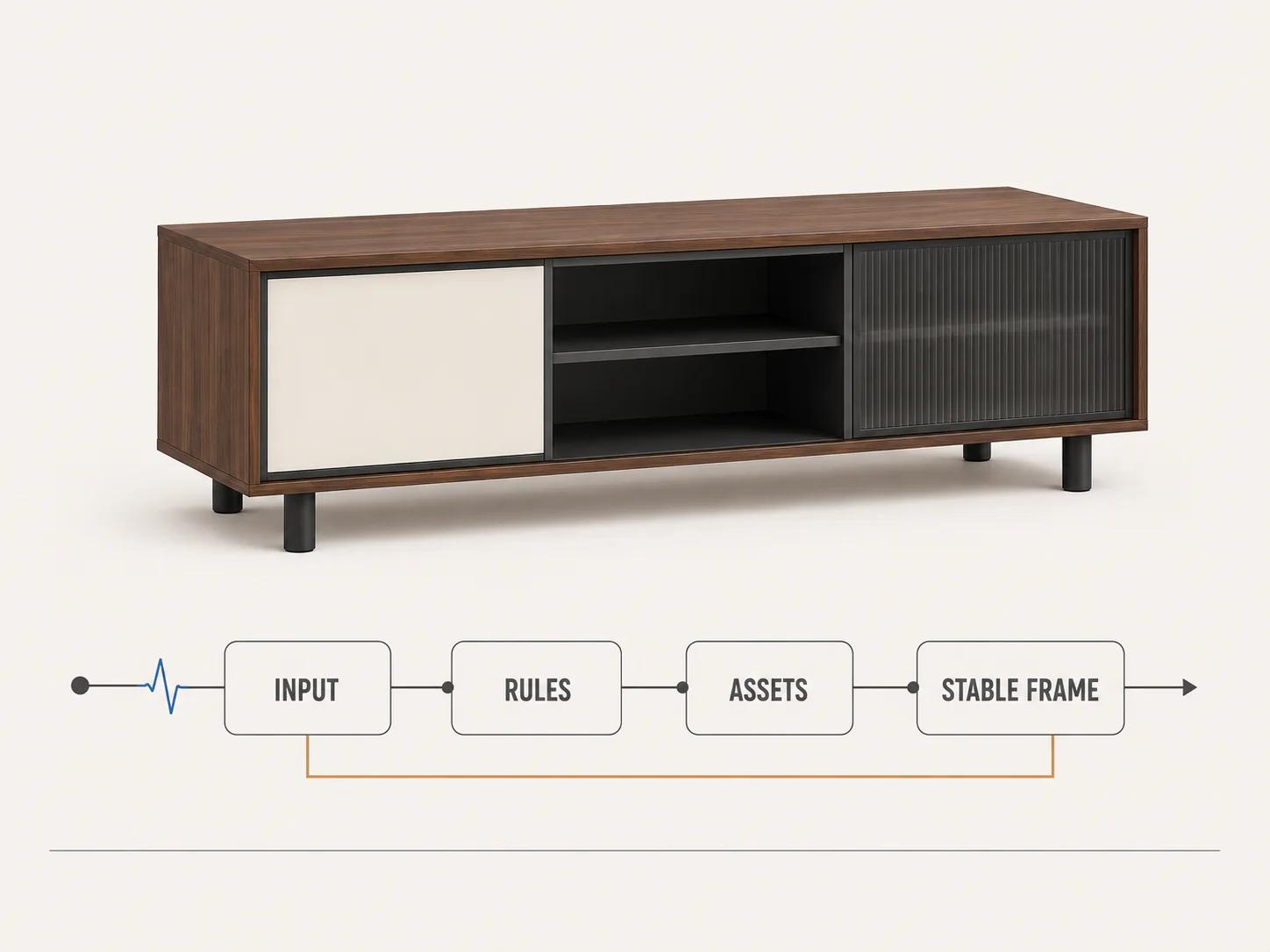
The canonical configuration should serialize into a compact, schema-validated object. Include the product-family ID, selected option IDs, quantities, accepted dimensions, locale or market where necessary, and the versions of the rule and render maps. Derive labels, formatted prices and scene operations when loading it. This keeps a saved configuration meaningful after copy changes and makes migrations explicit when an option is retired.
Use the same object for deep links, save-and-resume, quote requests and cart handoff, but let each destination validate it again. A signed or opaque token can protect commercial details, yet the server still has to reject unknown options, stale revisions and tampered prices. The browser's last valid state is evidence of what the shopper saw, not permanent authorization to manufacture or sell it.
Define recovery before launch. If a saved finish no longer exists, decide whether to block, map to a reviewed replacement or ask the shopper to choose again. If a network request fails, keep the last valid visual state and distinguish "price unavailable" from "configuration invalid." If a late asset fails, retain an accessible summary and a still-image fallback instead of leaving the order state trapped behind a blank canvas.
Test rule truth and render truth independently
A quality checklist needs repeatable fixtures, not a general instruction to "test all combinations." Pairwise or risk-based coverage may reduce a large option space, but named critical paths still need exact expected configurations and visual references.
Start with rule tests that run without WebGL. Feed the evaluator valid, invalid and boundary inputs; assert stable reason codes, forced changes, quantities and revision behavior. Then run render-adapter tests against known valid configurations and assert the intended asset IDs, materials, visibility and transforms. Finally, exercise the integrated journey with throttled networks, mid-range mobile hardware, keyboard input, rapid option changes and failed services.
| Test family | Minimum fixture | Pass evidence | What it does not prove |
|---|---|---|---|
| Rule determinism | Same input and rule revision repeated in clean runs | Identical valid state or identical structured conflict | Correct geometry or material appearance |
| Race handling | Rapid A-B-C changes with delayed B response | C remains authoritative; B is logged and discarded | Pricing correctness for C |
| Render mapping | Approved configuration-to-resource fixtures | Expected assets, materials, transforms and visibility are applied | Manufacturability or inventory |
| Visual review | Named camera views and product-reference zones on target devices | Critical form, finish, labels and dimensions meet the review record | Universal device parity |
| Commerce handoff | Known configuration revision with expected line or quote components | Server revalidation succeeds and stored IDs match the visible summary | Fulfillment outside the tested integration |
| Failure recovery | Rules, price and asset requests failed separately | Last valid state remains understandable; retry and fallback paths work | Recovery from every third-party outage |
Record the configuration revision and device with screenshots or comparison renders. A beautiful frame can still represent an invalid product; a perfect rule result can still point to the wrong material. Keep both approvals, then inspect public examples with the separate 3D product configurator examples scorecard rather than treating a polished demo as architecture evidence.
Decide where custom runtime work is justified
A custom runtime is easier to justify when rules are dependent, the visual state needs more than swatches, pricing or quoting follows the configuration, or several systems must agree on one portable product definition. A small finish list with standard platform variants may need a simpler viewer and ordinary commerce controls instead.
Before commissioning a build, list representative rules, invalid combinations, visual changes, product-data owners, integrations, target devices and acceptance thresholds. If those inputs point to bespoke orchestration, the custom 3D product configurator service is the commercial route. The architecture should still be scoped around the actual product; neither a reference implementation nor an owned product proves another system's rules, migration path or performance.