A marketplace-ready 3D product render has to pass two different tests. It must represent the approved product, and the delivered file must comply with the current rules of the destination that will ingest it. A polished image can fail on the second test because the crop is unsafe, the background is wrong, the format is unsupported or the file points to the wrong variant.
The answer is not one universal "marketplace preset." Keep an approved visual master, then make controlled exports against a dated requirement register. This checklist begins after the image set has been chosen. The broader question of which shots belong on product pages, ads and marketplaces belongs in 3D Product Renders for E-commerce: PDPs, Ads and Marketplaces.
Here, the job is narrower: accept or reject a render package using observable evidence for consistency, color, background, crop, resolution, variant identity and approval.
Start with a dated destination matrix, not a universal spec
Platform rules differ, and they change. Record the source URL, market, category, account or program, requirement date and the date your team checked it. Separate a hard requirement from a recommendation. Recheck the destination before a new production wave rather than copying last season's dimensions into a fresh brief.
| Destination documentation | What the current page says | Release implication |
|---|---|---|
| Google Merchant Center | The main image_link is required per product. Google currently lists JPEG, WebP, PNG, GIF, BMP and TIFF, recommends 1500 x 1500 pixels or above, and has announced a 500 x 500 minimum beginning 31 January 2027. | Store the enforcement date with the requirement. Do not confuse a future minimum with a universal production target. |
| Walmart Marketplace US | Its page, updated 12 May 2026, lists RGB, a 1:1 aspect ratio, a seamless white background, 2200 x 2200 pixels, a 1500 x 1500 zoom minimum, JPEG/JPG/PNG/BMP and a file size of 5 MB or less. | Build a named Walmart export and verify the relevant US listing context. Do not apply this row automatically to another market or destination. |
| Etsy | Etsy lists JPG, GIF, PNG, SVG and HEIC for shop images, says transparent PNG is unsupported, recommends listing images of at least 2000 pixels in both dimensions, advises sRGB and provides guidance for several thumbnail crops. | A file that works elsewhere may need a different format, profile, composition or transparency treatment here. Preview the actual crop states. |
These rows are examples, not a platform ranking or a complete policy survey. Their current differences in formats, dimensions, backgrounds and crop handling are enough to show why one export recipe is unsafe.[1][3][4]
Use seven acceptance gates
The following is a Double Edged editorial framework, not a marketplace standard. Adapt each pass condition to the dated destination matrix and the product category.
| Gate | Pass when | Acceptance evidence | Decision owner |
|---|---|---|---|
| 1. Consistency | Required views share the approved camera logic, product scale, baseline, margins, lighting family and shadow treatment | Set-level contact sheet plus reference overlay | Creative owner |
| 2. Color | Every visible finish maps to an approved variant and controlling material or color reference | Variant-to-finish record and neutral review render | Product owner |
| 3. Background | Color, transparency, shadow and allowed props match the destination row | Pixel sample, alpha inspection and destination rule | Channel release owner |
| 4. Crop | The complete product and required detail survive every relevant preview shape | Crop overlays and screenshots from available previews | Creative and channel owners |
| 5. Resolution and file | Pixel dimensions, format, profile, compression and file size match the export specification | File inspection plus ingestion result | Channel release owner |
| 6. Variant identity | Product, shot, color or finish, revision and destination map to one intended listing state | Manifest reconciliation against product data | Product owner |
| 7. Approval and release | Product truth, presentation and technical conformance have separate named approvals | Dated approval record tied to immutable file IDs | Project owner |
Lock consistency at set level
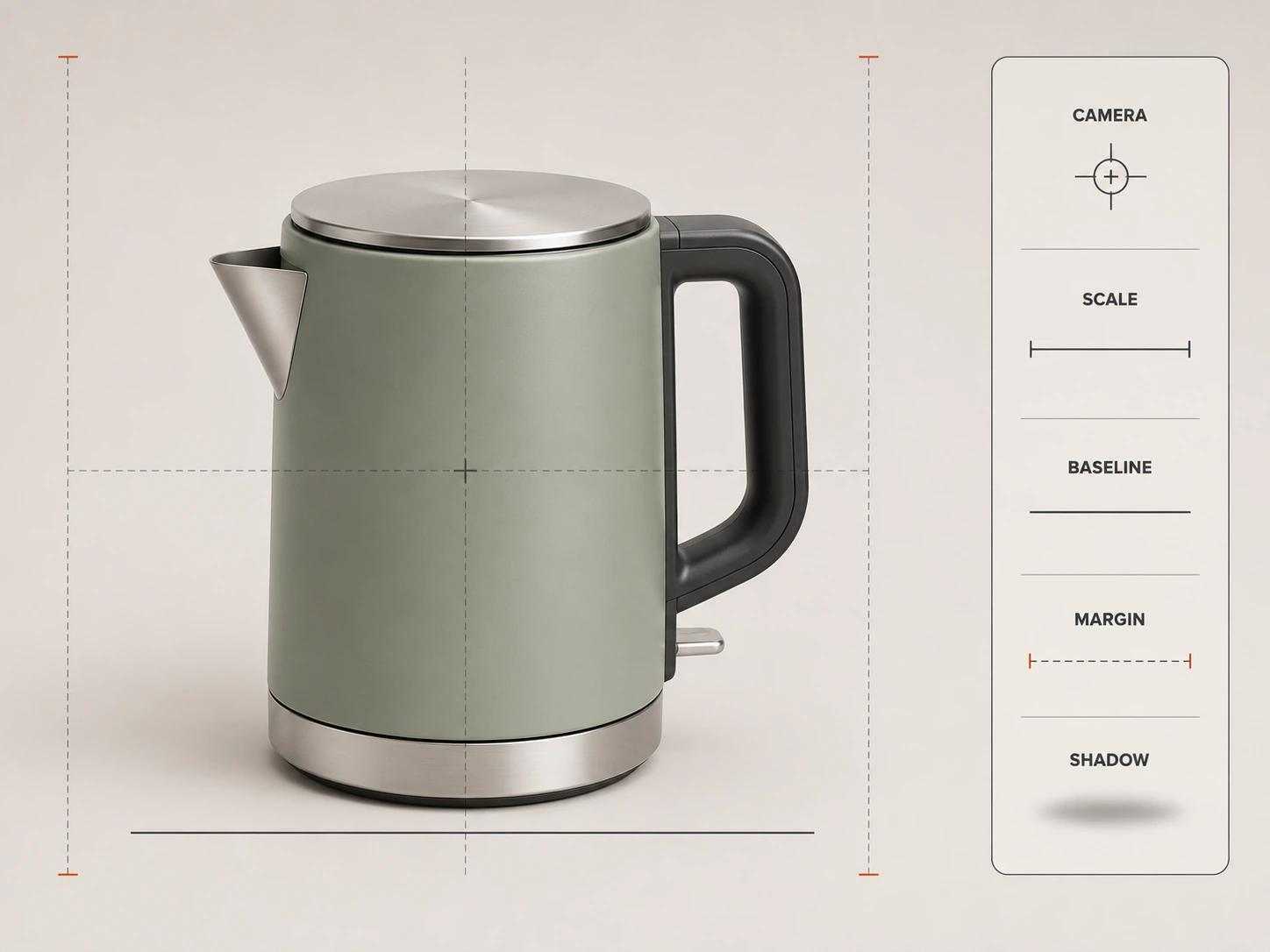
Judge consistency on a contact sheet before inspecting individual beauty shots. Align the products by a defined baseline and compare camera height, focal character, product occupancy, orientation, highlight direction, contact shadow and margin. Then view the set at the size a shopper is likely to encounter. Small framing drift becomes obvious when several variants sit together.
Consistency does not mean every image must be identical. A tall accessory may need a different crop, and a reflective finish may need a controlled light adjustment. The exception should be named in the shot matrix rather than introduced silently. Pass the gate when a reviewer can explain which properties are fixed, which are allowed to vary and why every exception exists.
Use stable review IDs. "The blue one on the right" becomes ambiguous as soon as the contact sheet is reordered. A useful comment names the product ID, shot ID, variant ID and mismatch: for example, the handle is six pixels closer to the top edge than the approved hero template. The number is evidence for that comparison, not a universal tolerance.
Approve color as product data
A render can look attractive and still depict the wrong finish. Tie every material zone to a product-controlled reference: a finish code, approved swatch, measured value, supplier sample or signed visual reference. Record which source controls when those inputs disagree.
Keep two approvals separate. Material approval asks whether the rendered surface represents the intended product under a neutral review setup. Image approval asks whether the lighting and color treatment work for the listing while preserving that product identity. A dark campaign grade should not quietly become evidence that a graphite and a black variant are distinguishable.
For each variant, record the product ID, customer-facing variant name, internal finish ID, reference source, render material version, export profile and approver. Etsy's current sRGB advice is a destination instruction, not proof that every screen will show the product identically.[4] Review the file in the agreed conditions, then verify the destination output without promising display-to-display equality.
Test background and crop separately
A background check asks whether the field, transparency, contact shadow and props are allowed. A crop check asks whether the product remains complete and legible in every relevant frame. One can pass while the other fails.
Start with the destination's required background value or transparency behavior. Inspect edges at 100 percent for halos, unintended matte color, clipped reflections and broken shadows. Confirm whether included accessories, packaging or props are permitted in the main image. Do not assume that a visually white studio field has the exact value a specification names.
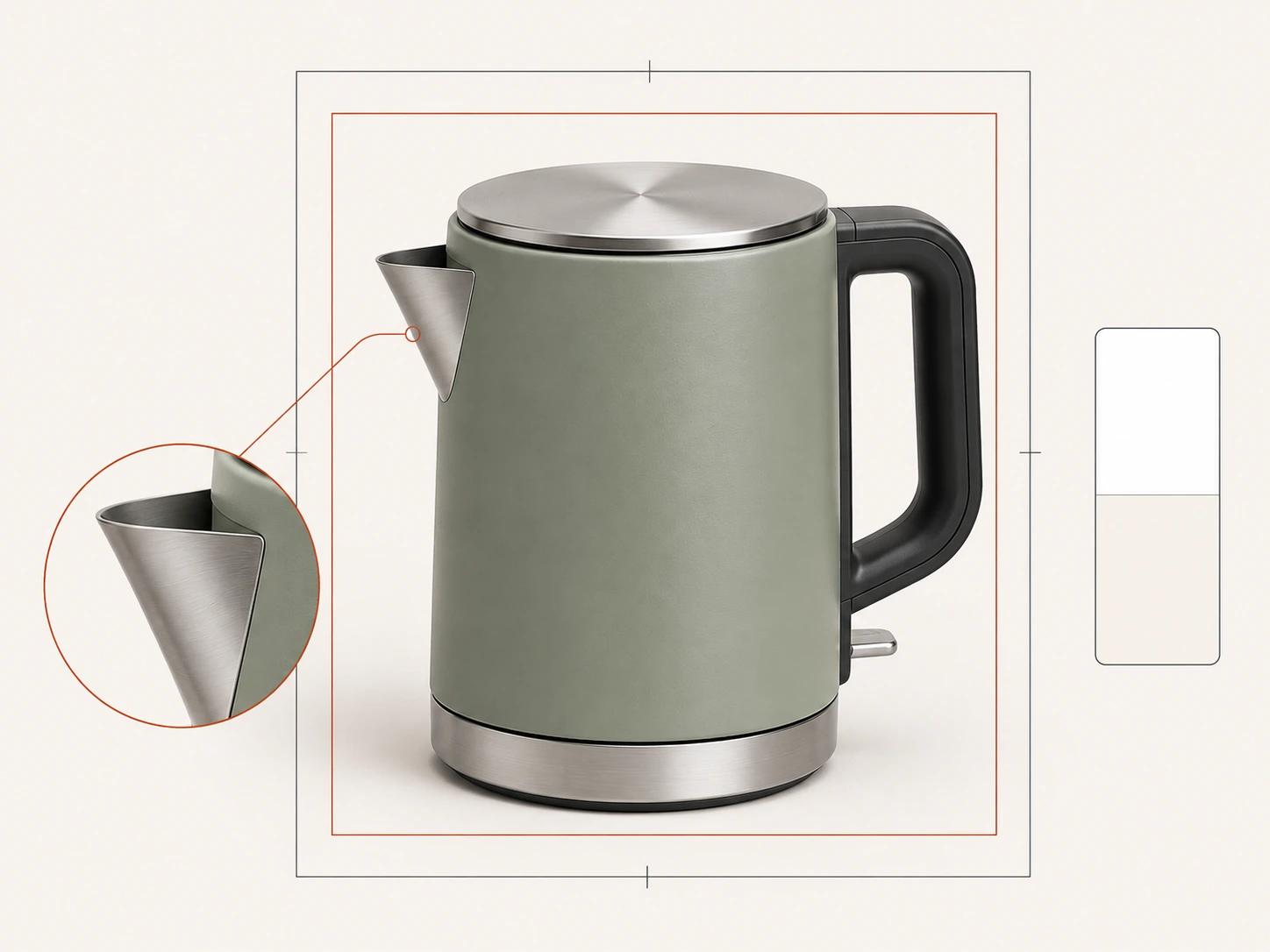
Then overlay each required aspect ratio and inspect the platform preview where one is available. Protect identifying geometry, controls, attachments and the contact point with the surface. Etsy explicitly advises sellers to check square, portrait and landscape thumbnail views and keep the important subject matter centered.[4] That is a useful destination-specific test, not a reason to center every composition for every channel.
Specify resolution as a delivery property
"High resolution" is not an acceptance criterion. Name pixel width and height, aspect ratio, file format, color profile, alpha behavior, compression or quality setting, maximum file size and filename rule. Keep a larger approved master where the contract requires it, but accept the marketplace export against its own row.
Inspect the final export, not only the render master. Check fine graphics, thin gaps, texture detail, diagonal edges, gradients and transparent boundaries at 100 percent and at expected display size. Upscaling a small file changes its dimensions without restoring missing detail. A file can also meet a pixel minimum and still fail because it is heavily compressed or points to an unsupported format.
Run a representative upload when access permits. Etsy notes that it compresses images and that uploaded files may appear less sharp.[4] Treat the ingested preview as another review state, not as proof that the source export was wrong or that every other destination will process it the same way.
Make every variant traceable
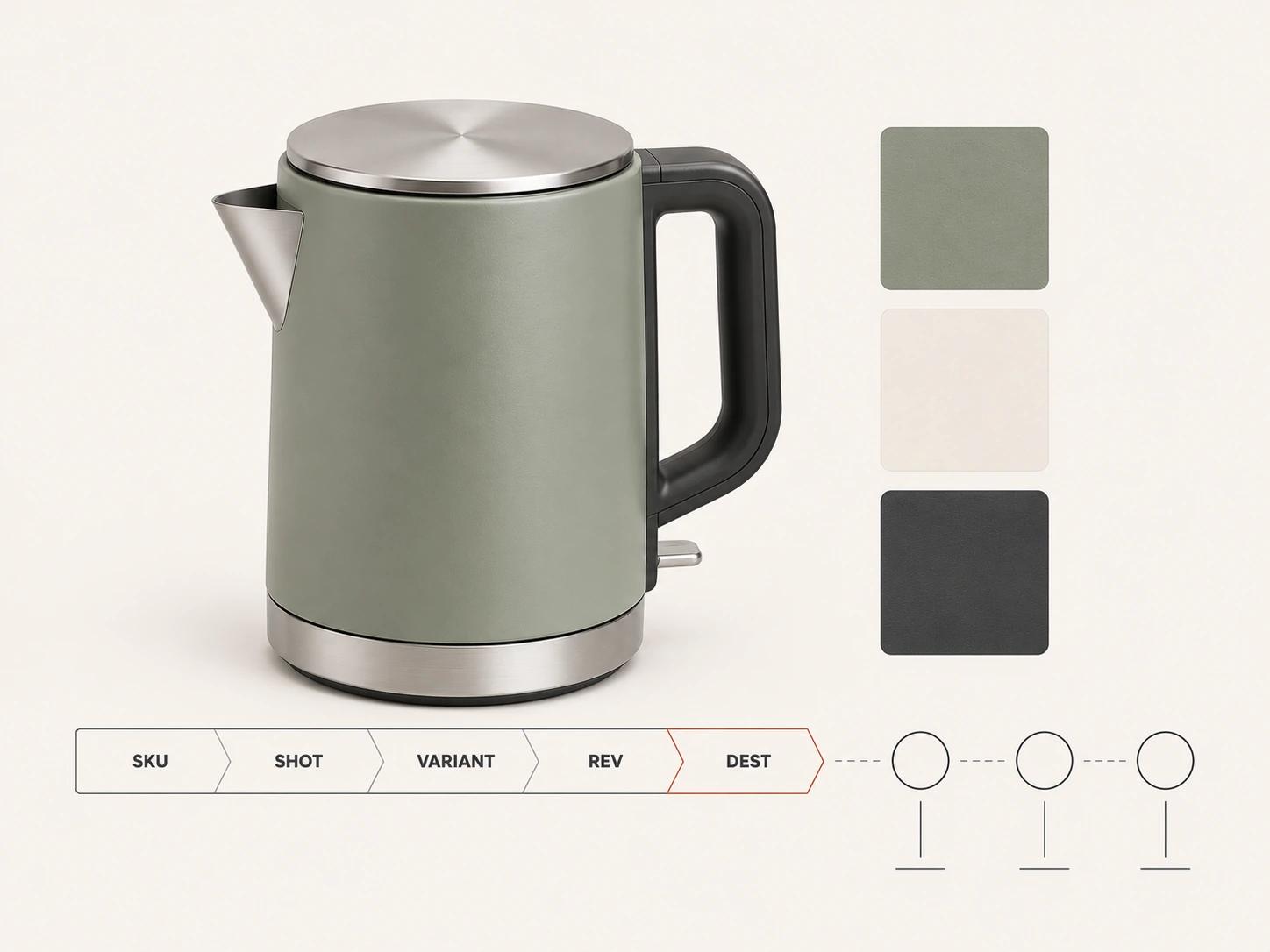
A filename should help an operator, but the manifest remains the source of the mapping. Use stable tokens for product, shot, variant, revision, destination and technical export. An illustrative pattern is:
KTL240__HERO3Q__SAGE__R07__WM-US__2200x2200.jpg
The example is a naming pattern, not a Walmart requirement. Walmart's current US page recommends using the 14-digit GTIN in the filename.[3] If a destination prescribes another pattern, follow it and preserve the richer internal mapping in the manifest.
Reconcile four things before release: the visible product, the intended variant record, the filename and the listing destination. Check geometry variants separately from finish variants. A new plug, handle, bundle component or label is not just another color. If the source evidence is incomplete, the guide to creating a 3D product render from CAD, photos or drawings explains where assumptions and reconstruction work enter the process.
Separate product, creative and release approval
One status called "approved" hides too much. Record three decisions:
- The product owner accepts geometry, visible components, artwork, finish and variant identity against controlling sources.
- The creative owner accepts camera, lighting, composition, consistency and permitted exceptions across the set.
- The channel release owner accepts the dated destination row, final export, filename mapping and ingestion check.
The same person may hold more than one role, but the record should keep the decisions distinct. Store the reviewer, timestamp, file ID or checksum, decision, conditions and any approved exception. If a file changes after approval, issue a new immutable ID and reopen the affected gates. Do not let a corrected filename inherit an image approval by accident, or let a color correction inherit a prior channel release.
Run a representative-SKU preflight
Test the workflow before exporting the whole catalog. Choose one normal product and one risk case, such as a pale finish on white, a reflective surface, a wide accessory or a variant with small artwork. The aim is to expose the fragile part of the release process, not to prove a commercial outcome.
Use this sequence:
- Freeze a dated requirement row for every intended destination.
- Approve the product and finish against controlling references.
- Review consistency across the representative views and variants.
- Export the exact format, crop, profile and dimensions named in the row.
- Inspect files locally, reconcile the manifest and test ingestion where access permits.
- Capture product, creative and release decisions against the final file IDs.
- Only then release the remaining matrix through the same checks.
For the upstream production gates, inputs and delivery package, use 3D Product Rendering: Process, Inputs and Deliverables. This page owns the marketplace acceptance layer rather than repeating that full rendering workflow.
Copy the final acceptance checklist
- [ ] Every destination row names the market, listing context, source URL, source update if shown, inspection date and rule owner.
- [ ] Requirements and recommendations are labeled separately.
- [ ] The complete set passes camera, product-scale, baseline, margin, lighting and shadow consistency checks, with documented exceptions.
- [ ] Every visible finish maps to the intended product variant and approved color or material reference.
- [ ] Background value, transparency, shadow and included props match the destination row.
- [ ] The product survives every required crop without losing identifying parts or required detail.
- [ ] Final files pass dimension, aspect-ratio, format, profile, compression, file-size and edge-quality checks.
- [ ] Product, shot, variant, revision and destination IDs reconcile across the image, filename, manifest and listing record.
- [ ] Product truth, creative presentation and channel release each have a named, dated decision.
- [ ] Representative files have been inspected after destination ingestion where access permits.
- [ ] Any post-approval change creates a new file identity and reopens the affected gates.
A marketplace-ready package is therefore more than a folder of square images. It is a traceable relationship among approved product truth, controlled render outputs, dated destination requirements and accountable release decisions.
Bring a checked release matrix to production
Share one representative SKU, the available product evidence, intended destinations and your dated requirement matrix. That is enough to scope the export and approval work without pretending one platform's rules apply everywhere.