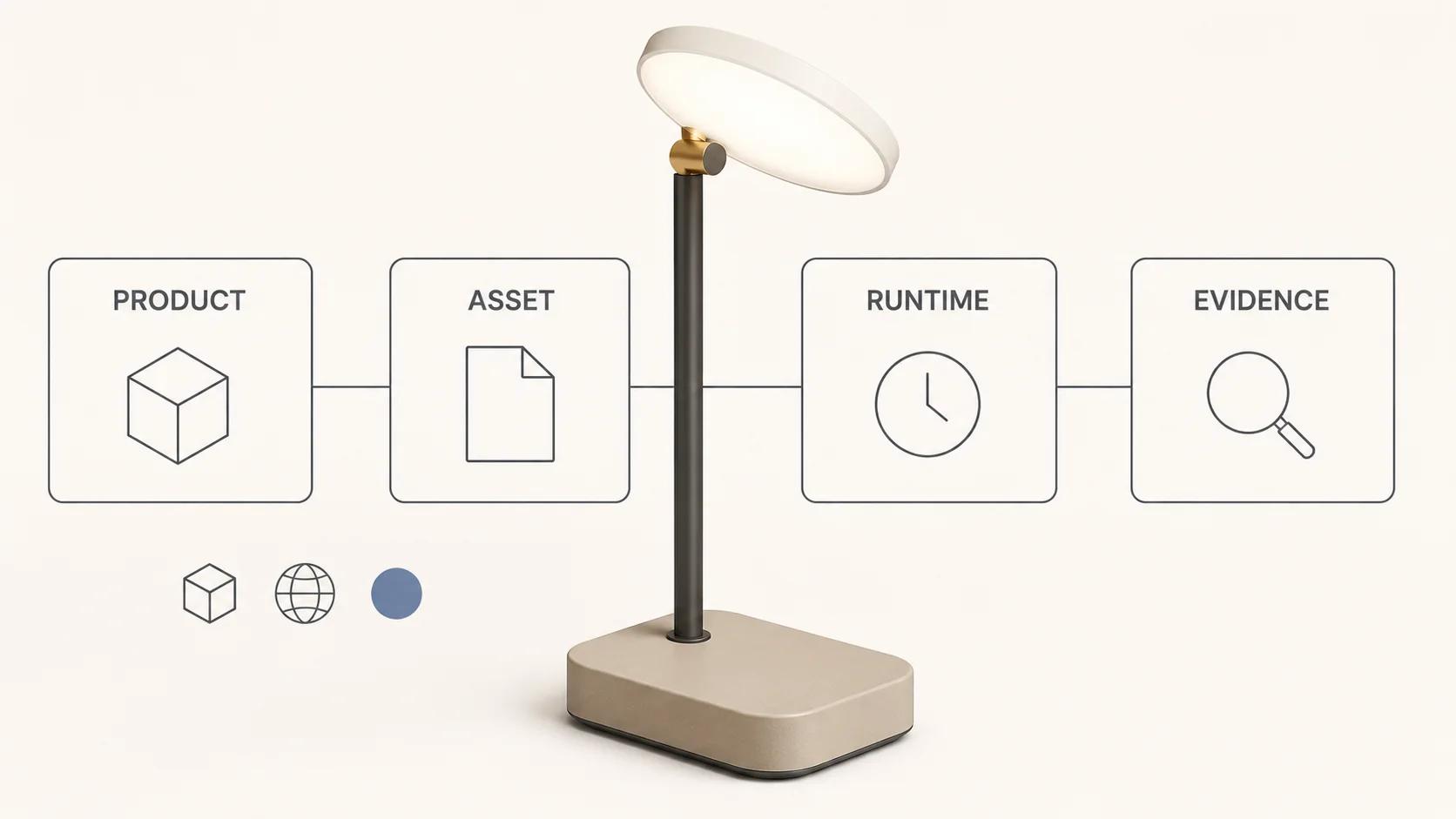
Before a brand commissions augmented reality services, it needs an acceptance brief. The brief should name the product decision AR is meant to support, the exact release assets, the dimensions and material references, the target runtime on each device class, the fallback when AR is unavailable, and the evidence required to approve launch. Without that contract, a model opening on one phone is easy to mistake for a finished product experience.
AR launch-ready means more than "the file loads." The product must appear at an agreed scale, preserve the critical geometry and material cues, enter the intended placement mode, survive the named network and device tests, and leave the shopper with a useful product page when the AR route cannot start. Google documents Android Scene Viewer as its own runtime with device and service requirements, while Apple documents USDZ delivery through Quick Look on its platforms.[3][5] Evidence from one route does not approve the other.
This guide focuses on that pre-launch readiness decision. It does not replace the broader interactive 3D product experience guide, repeat a furniture production workflow, or act as a generic vendor page. Its original element is an eight-gate scorecard that turns "ready" into a reviewable release decision.
Start with the product decision
Write one sentence describing what the customer should learn or do. "Place the lamp on a surface at its real size and judge its footprint" is testable. "Create an immersive brand moment" is not. The first statement gives the team a scale reference, a placement mode, a product state and an observable task. The second leaves every production choice open.
Name the in-scope product states next. A colour option, door position, shade angle or configured module can change geometry as well as appearance. Decide whether each state gets a separate asset, an animation, a material switch, or no AR support. Match every state to its product identifier and fallback media. A shopper must not select one SKU and open another in AR.
Keep category-specific work with its owner. A sofa or cabinet needs room-scale references, wall clearance and furniture-specific placement checks, which belong in the augmented reality furniture guide. The scorecard here remains category-neutral: it asks for the product reference, route and threshold without importing a furniture workflow into every AR brief.
Finish the scope statement with exclusions. If the launch does not include body tracking, face try-on, multi-product scenes, live configuration or native-app features, say so. That protects a focused placement experience from acquiring unsupported promises during review.
Use an AR launch-readiness scorecard
The table below is an original Double Edged acceptance framework. It uses an illustrative portable task lamp so the assumptions are concrete. No asset was tested and no row has passed. Replace the example filenames, hardware and thresholds with the approved project values before a real run, then keep the raw evidence beside each decision. The file-weight threshold in gate 2 uses Google's current Scene Viewer table, which lists 10 MB as recommended and 15 MB as the maximum.[3]
| Gate | Exact test subject and conditions | Starter acceptance threshold | Evidence to retain |
|---|---|---|---|
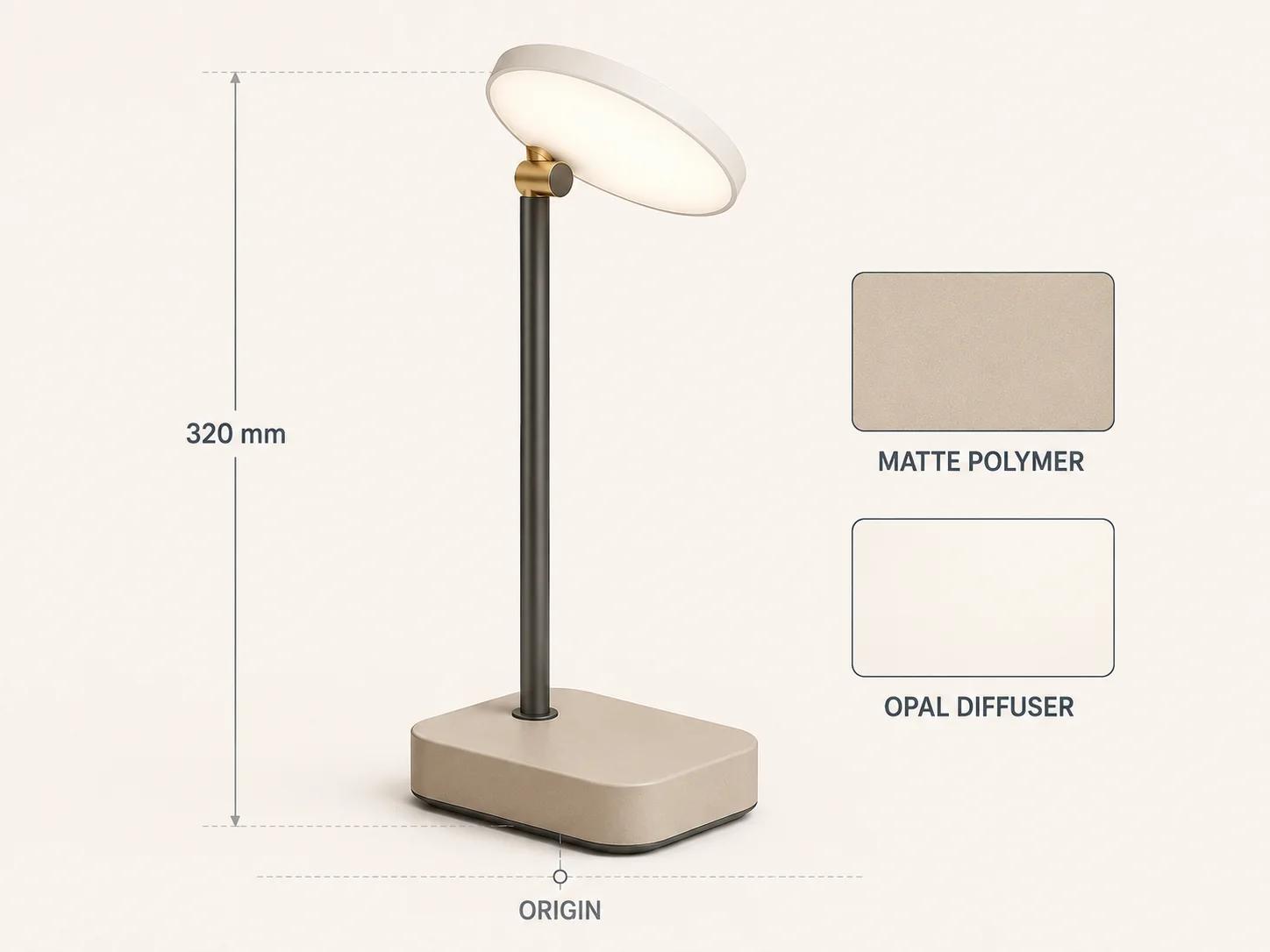
| 1. Product truth | Approved lamp reference: 320 mm total height, 120 × 90 mm base, named silhouette views, sand-beige shell, graphite stem, opal diffuser and amber collar | Signed dimensions and reference views; every critical zone has an owner; allowed variance recorded before export | Product drawing revision, reference images, material notes, reviewer and date |
| 2. Release GLB | Exact portable-task-lamp-r17.glb; SHA-256 recorded; Khronos validation report; dependency inventory | Zero validator errors; zero undeclared external resources; at or below the route's 10 MB recommended binary limit | File, checksum, validator version and full report. |
| 3. Browser preview | The release GLB on the production-like HTTPS product page; cold cache; five runs at 10 Mbps down, 1 Mbps up and 100 ms round-trip latency | Median deliberate-activation-to-usable-view at or below 5 seconds; five of five usable previews; still content and buying controls remain usable if the model request is blocked | Page build, browser build, network profile, five raw timings, request log and blocked-request capture |
| 4. Android AR | The same GLB on a physical Pixel 8 running Android 16, stable Chrome and current Google Play Services for AR; exact builds recorded on test day | Five of five launches; measured height within ±2% of 320 mm; ten of ten place, move, rotate and exit attempts complete without a blocking defect | Device model, OS/browser/service builds, route URL, screen recording, scale measurement and defects |
| 5. Apple Quick Look | Exact portable-task-lamp-r17.usdz with checksum on a physical iPhone 15 running iOS 26 and Safari; exact builds recorded | Five of five launches; measured height within ±2%; every named geometry and material zone receives pass, fail or accepted-variance status | USDZ, checksum, device and OS record, screen capture, scale measurement and zone review |
| 6. Placement and recovery | Named horizontal surface in controlled indoor light; camera permission allowed, denied and reset; tracking interrupted once | Base meets the detected surface without a blocking gap or penetration in ten attempts; denied permission and lost tracking lead to an understandable recovery or fallback path | Surface and light note, attempt log, permission states, recovery copy and captures |
| 7. Fallback and controls | AR unavailable; model request blocked; keyboard-only and named screen-reader run in the stated browser | Product name, price, dimensions, selected state, useful still media and buying action remain available; every custom control has a programmatic name and visible focus; task completed without AR | DOM/accessibility capture, keyboard script, screen-reader/browser versions and task result |
| 8. Release and change control | Exact asset checksums, viewer commit, route configuration, product mapping, fallback copy and approved exceptions | Zero unresolved blocking defects; every non-blocking variance has an owner and approval; any changed input reopens its affected rows | Signed scorecard, defect register, exception log, approver and re-review triggers |
These thresholds form a compact-product starter profile, not a universal budget. A larger product, different network audience or stricter dimensional requirement needs a different brief. Change a threshold before testing. Moving it after a failed run turns the scorecard into justification rather than evidence.
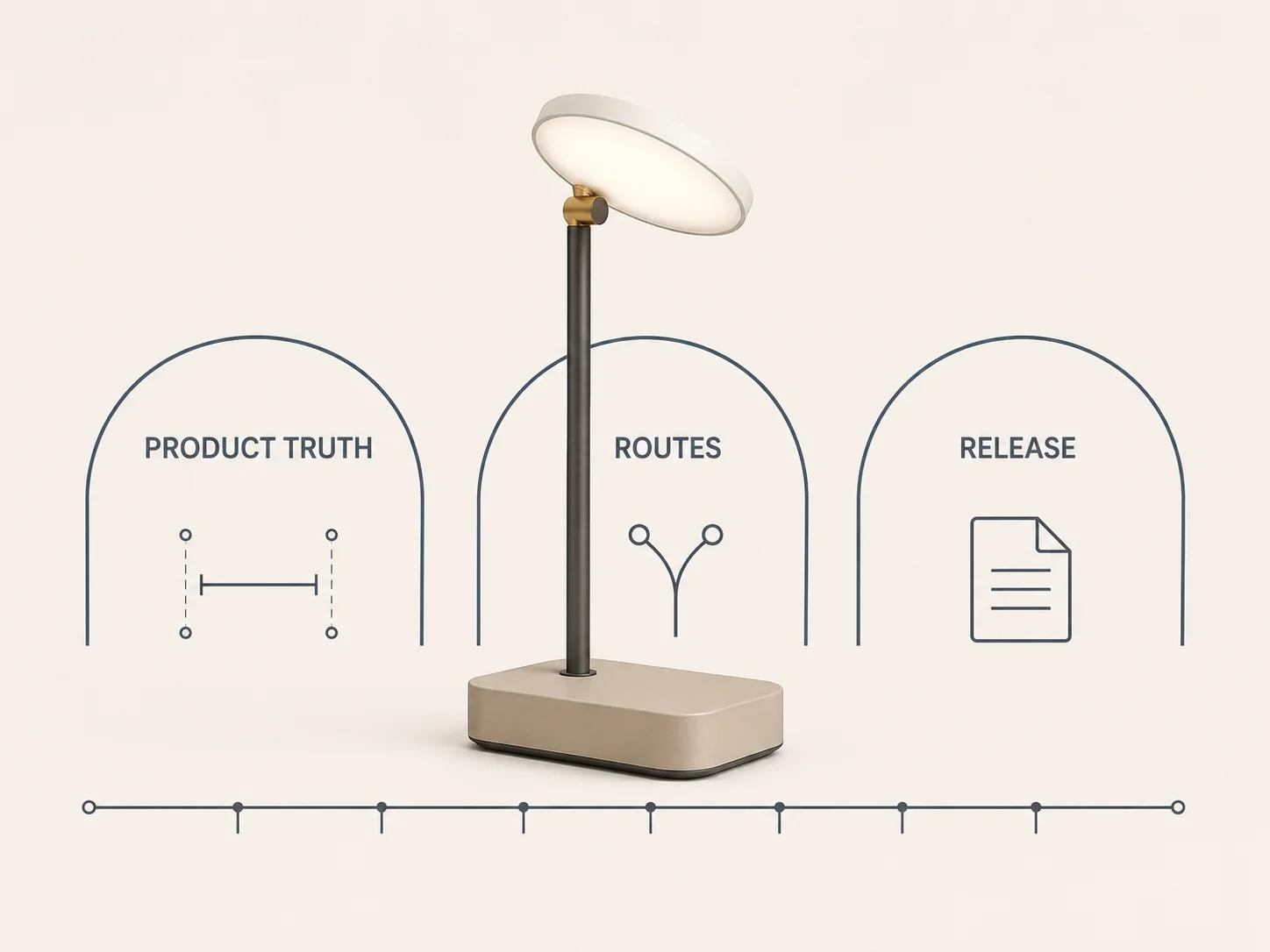
Lock product truth before choosing a viewer
The product reference is the first technical dependency. Record overall dimensions, the local origin, the ground-contact plane, forward direction, movable parts, product states and any area that cannot tolerate visible simplification. The release model should point back to that reference revision rather than to a folder called "final."
For glTF, the specification uses a right-handed coordinate system, +Y up, +Z as the asset front and metres for linear distances.[1] Those rules do not prove that an exporter converted an authoring scene correctly. Compare the GLB's bounds with the product drawing, then measure the placed object on a physical device. A correct number in the source scene is not release evidence if the derivative or runtime applies an unexpected transform.
Material approval needs named zones, not a general "looks good." For the example lamp, review the sand-beige matte polymer, the dark stem, the opal diffuser and the small brushed-metal collar separately. glTF defines a metallic-roughness PBR material model, but rendering still depends on runtime lighting and implementation details.[1] Compare identity and product cues rather than demanding identical pixels from a browser, an Android camera view and Quick Look.
Use reference views that expose the hard cases: a grazing angle for roughness, a backlit view for the diffuser, a close view of the collar and a silhouette view for the head angle. The reviewer should be able to point to a named zone and record pass, fail or accepted variance. "Close enough" without a zone, device and approver cannot be audited later.
Inspect the release asset before runtime QA
Run structural inspection on the exact handoff file, not on an earlier export. The Khronos glTF Validator accepts glTF or GLB and states that its browser validation runs locally without uploading the submitted asset.[2] Keep its complete report, tool version, asset checksum and a dependency inventory. Zero structural errors closes only the structure gate. It says nothing about the lamp's height, material reference, runtime load time or AR placement.
Inspect extensions and dependencies against every target. An extension can be valid glTF and still be unavailable in one delivery route. An embedded texture can be structurally correct and still be too large, incorrectly colour-managed or visibly damaged. Record the destination that needs each feature and test the actual derivative there.
File-weight work belongs upstream of release testing. The web-ready 3D model optimization guide covers geometry, textures and load budgets in depth. Here, optimization is an input: the scorecard names the exact file, route-specific limit, network profile and runtime threshold, then records whether that release candidate met them. Google's Scene Viewer documentation currently lists HTTPS loading, metre-based scale and route-specific validation limits, including a 10 MB recommendation and 15 MB maximum binary size.[3] Those numbers do not describe the weight or speed of the whole product page.
Separate browser, Android and Apple routes
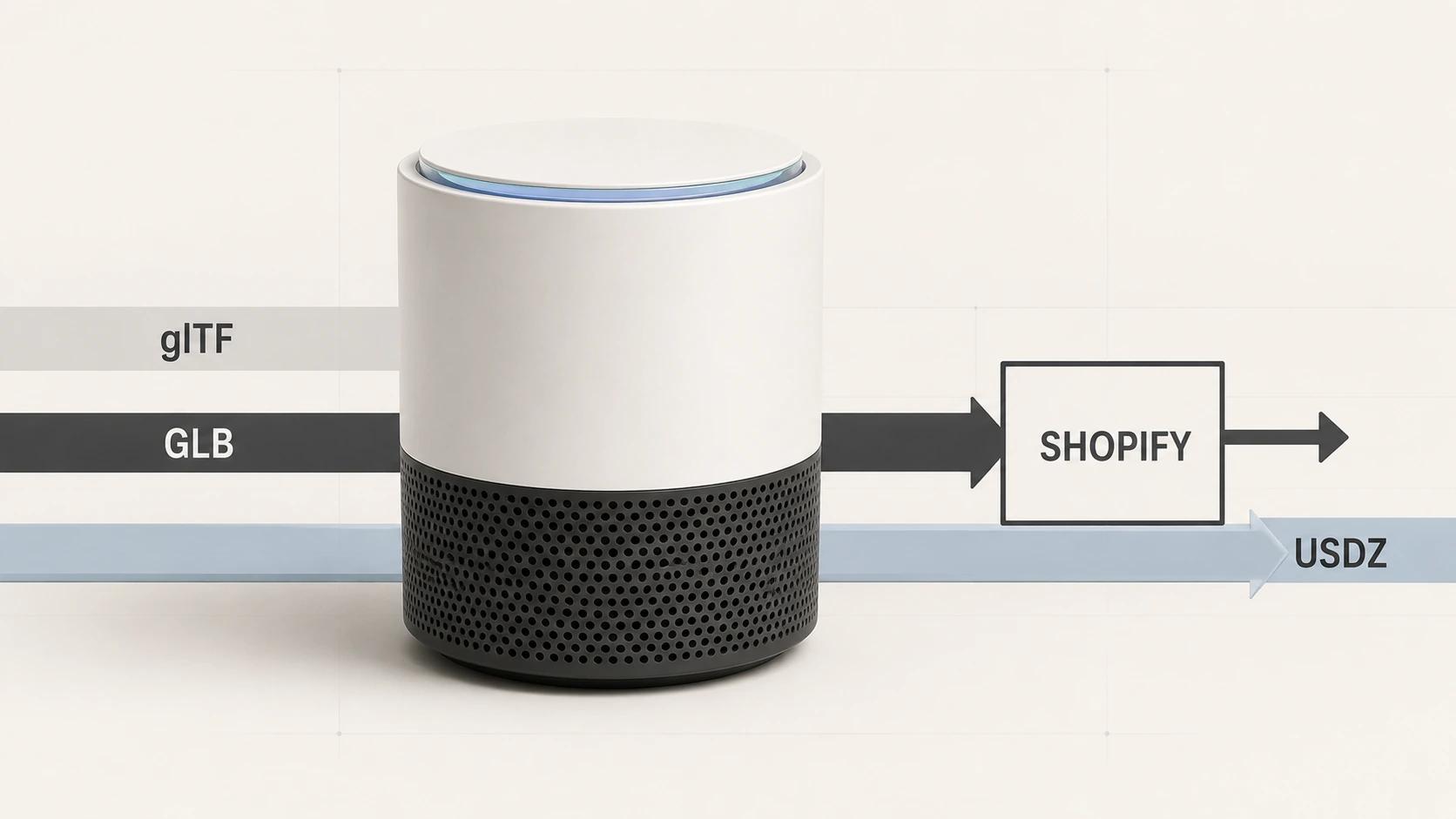
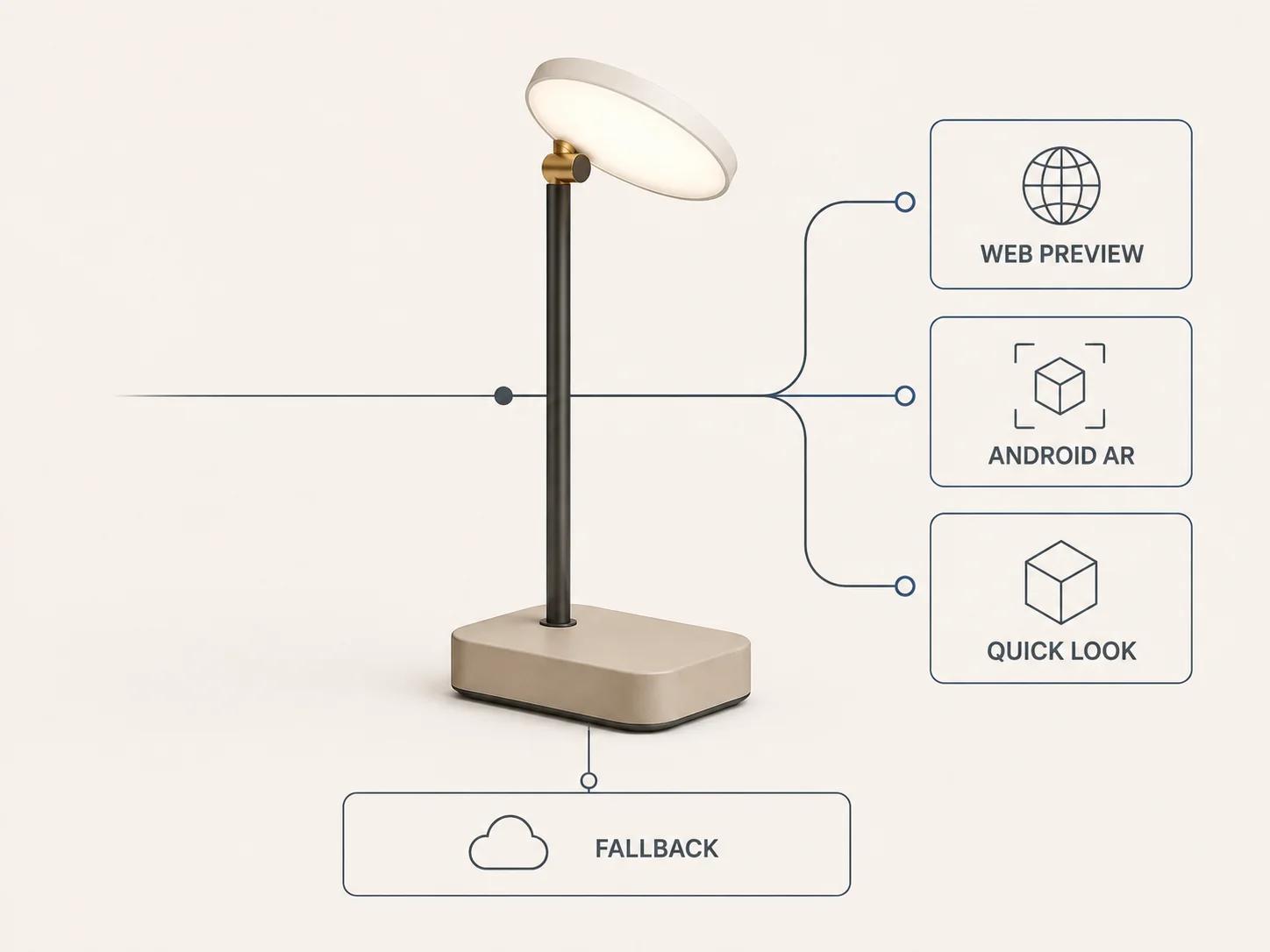
Map the route before implementation. A browser preview, an in-browser WebXR session, Android Scene Viewer and Apple Quick Look do not share one acceptance result. The model-viewer documentation exposes a prioritized ar-modes list for webxr, scene-viewer and quick-look, plus an ios-src URL for a USDZ Quick Look asset.[4] That is a useful routing option, not proof that a configured route launched on the target hardware.
Google says Scene Viewer AR needs an ARCore-supported device running Android 7.0 or later, together with current Google Play Services for AR and the Google app. Its documented modes can fall back to a 3D view or a configured browser URL when those components are missing or outdated.[3] Record which mode the product page requests, which package opened, and what the shopper sees when the native route cannot start.
Apple says Quick Look displays USDZ objects through built-in apps including Safari on iPhone and iPad, and its current page also names Apple Vision Pro.[5] Test the exact USDZ on the named Apple device. A GLB pass on Android does not approve the USDZ's scale, materials, animation or download behaviour.
Keep the route register short:
- Browser preview: exact page build, GLB checksum, browser build, network profile and a usable-view threshold.
- Android AR: exact GLB, intent or component configuration, handset, Android build, AR service versions, placement mode and fallback.
- Apple Quick Look: exact USDZ, Safari entry point, device and OS build, scale and material references.
- Non-AR path: still media, dimensions, product state, buying controls and recovery copy.
If a route changes the asset automatically, capture the delivered derivative or its immutable identifier. Test what the customer receives, not only what the team uploaded.
Fix the test profile before collecting results
The worked profile uses five cold-cache runs on a controlled 10 Mbps down, 1 Mbps up and 100 ms round-trip connection. It sets a five-second median from deliberate activation to a usable browser view, five successful launches per native AR route, ten placement attempts and a ±2% scale tolerance for the 320 mm lamp. These values are editorial starting gates. They are not results, platform promises or suitable defaults for every catalogue.
Record exact browser and service build numbers at the start of the run. "Latest Chrome" becomes ambiguous after the next update. Note device temperature, power mode and whether the asset was already present in a native viewer cache. Use the same start and end events for every timing. A median calculated from mixed warm and cold runs answers no useful release question.
Test under controlled light first so asset or route defects are easier to isolate. Then add one deliberately difficult but realistic condition from the audience brief, such as a low-texture surface or dim room. Keep that challenge in a separate row. If a difficult environment fails, the team can decide whether to improve guidance, constrain the supported task or block release without contaminating the baseline result.
A pass must be reproducible. Keep the file checksum, page build, route, hardware, operating system, browser or native service versions, network profile, raw attempts, capture and reviewer. If one of those fields is absent, describe the observation as exploratory rather than approved.
Test scale, materials and placement as separate decisions
Scale begins with the approved dimensions and ends with a physical check. Measure a stable feature, such as the task lamp's total height, after placement. If resizing is allowed, test the initial state and make the control's effect clear. If sizing must remain fixed, verify the route configuration and confirm that the placed object stays within the agreed tolerance. Google documents metre-based Scene Viewer scale and a resizable option, which is why the chosen behaviour belongs in the route record.[3]
Materials need a reference under known viewing conditions. Review colour family, metal versus dielectric behaviour, roughness cues, opacity or transmission, normal detail and any critical label. Lighting will differ by runtime, so record the difference instead of hiding it. A lost material assignment is a defect; a documented exposure difference may be an accepted variance.
Placement tests the product origin, bounds, surface choice and recovery. The model should settle on the intended surface without a blocking gap, intersection or implausible pivot. Move it, rotate it, leave and re-enter the route, deny camera permission, interrupt tracking and try again. Record each action. A polished first frame can conceal a broken recovery path.
Ship a useful fallback rather than an apology
AR support is conditional, and some customers will choose not to grant camera access. Google's Scene Viewer guidance explicitly provides 3D and browser-fallback routes when AR components are missing or outdated.[3] The product page should still answer the buying question with useful stills, dimensions, material notes, the selected product state and working purchase controls.
Accessibility is part of that fallback, not a badge attached after launch. WCAG 2.2 requires non-text content to have an alternative that serves an equivalent purpose, with specific treatment for content that acts as a control.[6] Its Name, Role, Value criterion requires scripted user-interface components to expose programmatically determinable names, roles, states and values.[7] Alt text alone does not approve an interactive viewer.
Run a keyboard script through activation, orbit controls, reset, AR entry, exit and the next buying action. Check visible focus and status announcements in the named screen reader and browser. Then block the model request and repeat the product task. The fallback passes when the customer can identify the selected item, understand its size and finish, and continue without AR. Do not call that a WCAG conformance result unless the whole claimed scope has received the required audit.
Use the private checker for the GLB gate
The Private GLB Readiness Checker inspects and previews a selected self-contained GLB locally in the browser. The selected self-contained GLB remains local. It reports four separate destinations: Online store, Shopify, Product customizer and Android AR. A successful browser preview does not prove destination compatibility or performance.
Use the findings to prepare the release-GLB and destination rows, then keep the device and route tests separate. The checker does not supply an Apple Quick Look or USDZ result. The optional editable Excel QA workbook is a secondary resource for teams that need an owner-and-evidence handoff after the browser review.
Make the release evidence reusable
Store the signed scorecard with immutable asset identifiers, product-reference revision, viewer commit, product mapping, route configuration, fallback copy, raw results, defects, exceptions and approver. Reopen the affected rows when the model, derivative, viewer code, target browser or device, network assumption, product mapping, fallback or threshold changes. A dated pass supports one release; it is not permanent compatibility.
This evidence also improves a production brief. Instead of asking a supplier to "make it work in AR," the brand can provide the product truth, target routes, constraints and failed rows. If the release asset or delivery path needs specialist production work, take that package to the web-ready and AR-ready 3D service. The service page owns direct hiring intent; this article remains the readiness method used before approval.