3D product visualization is the controlled use of product geometry, materials, lighting and product data to make visual content for commerce. The output might be a still image, an animation, an interactive viewer, an augmented-reality preview or a configurator. Those experiences can share source work, but they are not interchangeable deliverables. A useful brief separates the governed source asset from each channel's release owner and acceptance test.
That distinction matters when you are planning a catalog. Buying "a 3D model" without naming its destinations is like commissioning packaging without saying whether it must survive a shelf, a parcel or a freezer. You may receive a good asset that is wrong for the job.
This guide gives commerce teams a practical way to choose the job first, define a reusable source asset and approve each output without relying on vague language such as "make it photoreal."
What 3D product visualization includes
The term is broad because it describes a production system, not one media format. The Khronos 3D Commerce Working Group separates 3D visualizations, configurators and planners, and AR, VR or mixed-reality experiences within the same commerce field.[1] Its asset guidance also covers geometry, UV coordinates, materials, textures, animation and publishing targets, which is a useful reminder that the visible result sits on top of many technical decisions.[3]
For a merchant, the system has four layers:
- Product truth: approved dimensions, construction, materials, colorways, logos and variant data.
- The controlled 3D source: geometry, material definitions, texture sources, naming and version history.
- Channel-specific production: cameras and lighting for stills, motion for animation, optimization for real-time viewing, scale and origin for AR, or rules and commerce data for a configurator.
- Delivery and governance: files, embeds, product associations, ownership, approval records and a process for future changes.
A still render may be the only output you need. That is still 3D product visualization. A product page with a rotatable model is another form. A configurator goes further because it connects visual changes to valid choices, and sometimes to price, inventory, a bill of materials or cart data.
The shared source is valuable when it reduces repeated reconstruction and keeps approved details consistent. It is not valuable merely because it exists. If nobody knows which dimensions are authoritative, which material version was approved or how the asset maps to a SKU, reuse becomes archaeology.
Five outputs that teams often mix up
The fastest way to avoid a bad brief is to name the customer action. Does the shopper need to see a finish, understand a mechanism, inspect the object, judge it in a room or build a valid version?

| Output | What the shopper can do | Best fit | Additional production or implementation | What it does not do by itself |
|---|---|---|---|---|
| Rendered still | Look at a fixed, art-directed view | Hero images, product galleries, campaigns, marketplaces | Camera, lighting, composition, resolution and crop variants | Let the shopper change the view |
| Product animation | Watch a planned sequence | Explain assembly, movement, internal construction or a feature sequence | Storyboard, timing, rigging or part motion, edit and delivery versions | Give the shopper free control |
| Interactive 3D viewer | Rotate, zoom and inspect | Products whose form or detail benefits from a user-controlled view | Real-time asset preparation, viewer setup, loading and device QA | Enforce product rules or guarantee AR support |
| AR preview | Place or view the product in a physical context on a supported device | Scale, footprint and placement questions | Real-world scale, origin, compatible files, device behavior and fallback QA | Validate whether a chosen configuration can be manufactured |
| 3D configurator | Select options and see a valid visual state | Products with meaningful choices, dependencies or made-to-order logic | Rules, option data, state management, price or cart integration, analytics and maintenance | Replace clean source data or product governance |
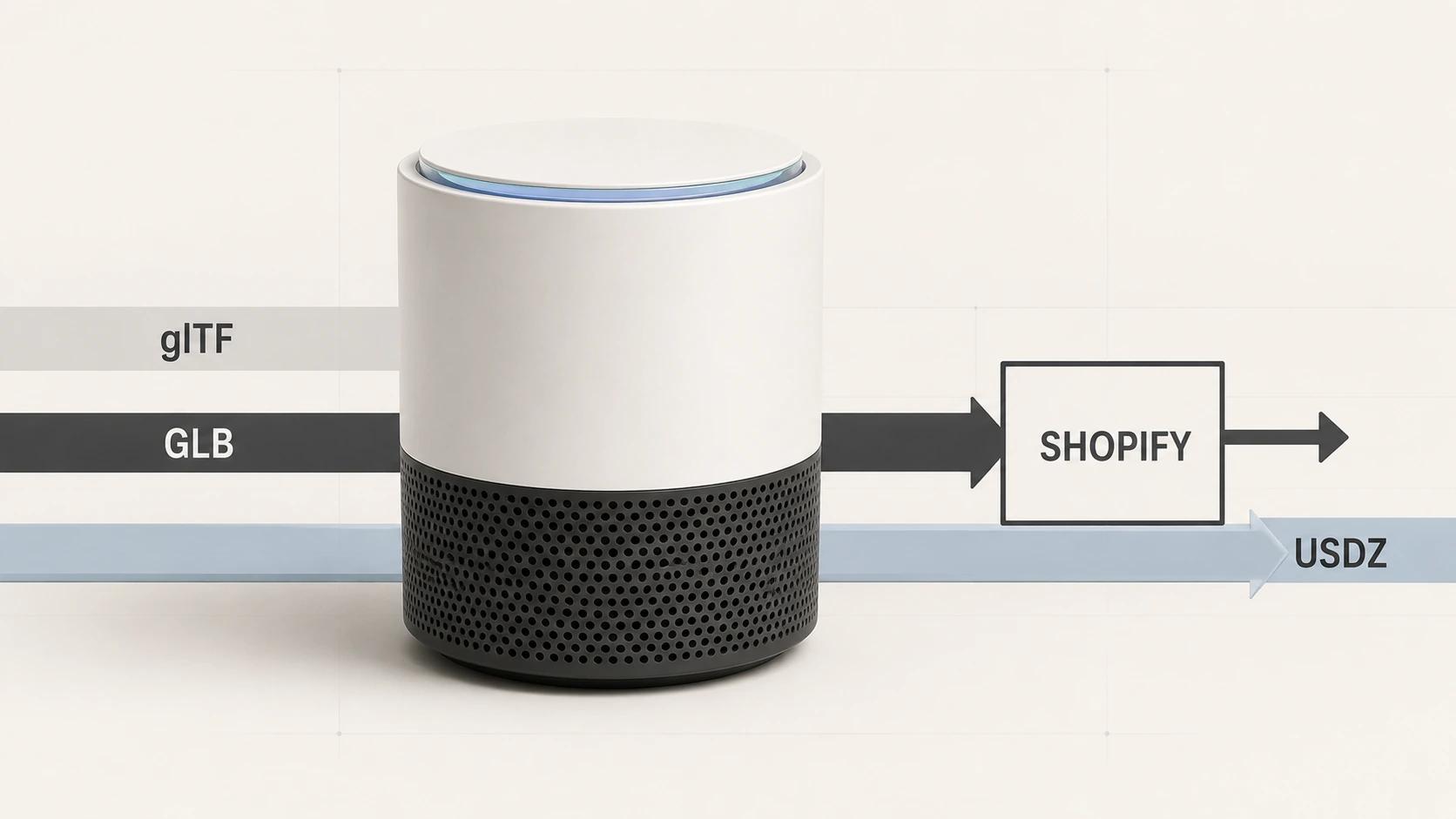
The technical boundaries are visible in official platform documentation. Google's model-viewer displays glTF or GLB models in a web page, while its AR modes depend on supported devices and either WebXR or Scene Viewer.[5] Apple AR Quick Look accepts supported USDZ or Reality content and lets users place, move and scale it in a detected real environment.[6] A viewer and AR can share asset preparation, but one does not automatically prove the other works.
The same caution applies to 360-degree photography. A photo spin can be useful and interactive, but it is a sequence of captured images rather than a freely rendered 3D model. Decide on the required behavior instead of arguing over the label.
For a deeper channel and file-format treatment, use 3D Product Visualization for E-commerce: Formats, Channels and Workflow. This pillar stays at the category and decision level rather than duplicating that implementation guide.
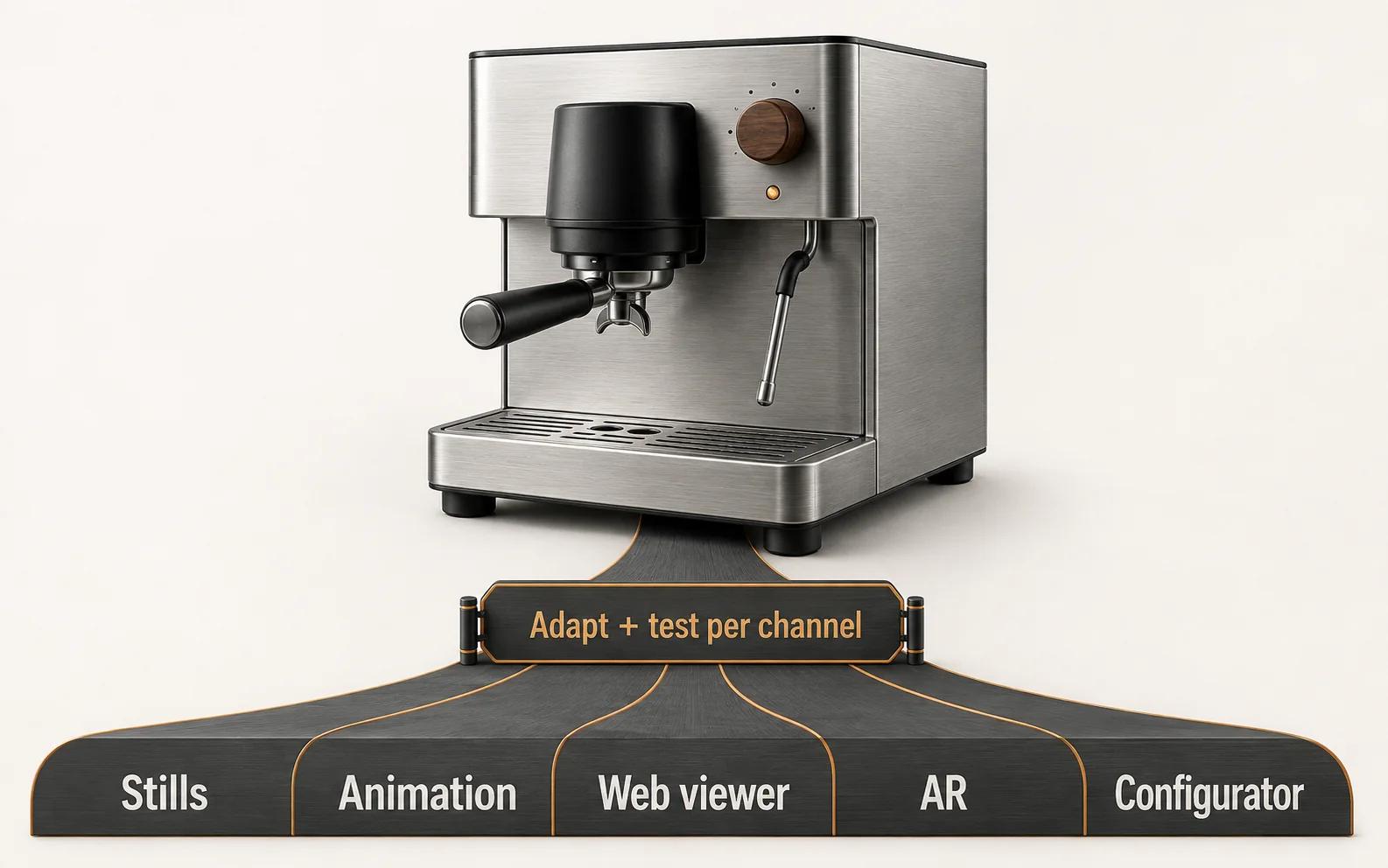
One reusable asset, five channel-specific outputs
A useful reuse plan starts with a controlled master, then branches. It does not push the same untouched file into every destination.
| Layer | Stays governed in the master | Changes by destination |
|---|---|---|
| Product definition | Proportions, part relationships, approved details | Visibility of tiny parts and features at the required viewing distance |
| Materials | Approved finish intent and source texture data | Shader setup, texture packing, compression and renderer compatibility |
| Structure | Named parts, pivots, variants and version | Merged or separated meshes, animation rig, configurator switching logic |
| Presentation | Brand direction and approved color references | Camera, lighting, environment, crop and interaction |
| Delivery | Ownership, product ID and source archive | Render dimensions, video codec, GLB, USDZ, viewer package or integration payload |
Khronos describes glTF as a format designed for efficient transmission and loading of 3D scenes and models. A binary .glb can package scene structure, meshes, materials, textures, skins and animation in one file.[2] That makes GLB a common delivery candidate, but it does not make the delivery file your highest-fidelity source of truth. Keep editable source geometry, texture masters, material notes and approvals upstream.
A simple five-channel map looks like this:
- Stills branch into high-resolution geometry where needed, art-directed cameras, lighting and retouching.
- Animation adds a shot plan, motion and timing. Unused animation data should not ride along in a web asset because it can add file weight.[3]
- The web-viewer branch reduces runtime cost while protecting the details a shopper can actually inspect.
- The AR branch verifies scale, origin, orientation, compatible material behavior and device fallback.
- The configurator branch keeps switchable parts and materials aligned with option rules, product data and valid combinations.
Platform handling also matters. Shopify's current developer documentation lists GLB and USDZ as supported 3D-model formats and says it serves GLB for web use and USDZ for iOS AR.[4] That is a platform-specific acceptance path, not a universal handoff rule. Confirm the actual destination before export.
A production workflow built around decisions
A dependable workflow has approval gates. Without them, feedback arrives as taste after expensive work has already been done.
1. Define the buying question and destinations
Write one sentence for the customer problem: "Show how the steam wand clears a tall cup" is better than "make an animation." List every confirmed destination, aspect ratio, resolution, device or platform constraint, locale and launch date. Put speculative future uses in a separate column so they do not silently inflate the first scope.
2. Audit product truth
Gather CAD, drawings, dimensions, photography, material samples, labels and variant data. Mark each item approved, provisional or missing. CAD may describe manufacturing geometry without the surface finish or presentational detail needed for commerce. Photography may show color under unknown lighting. Neither should be treated as infallible.
When the source is inconsistent, appoint a person who can decide. A 3D artist should not have to guess whether the drawing, prototype and current product photo represent three revisions.
Manufacturing teams with CAD-heavy inputs can continue with 3D Visualization for Manufacturing: From CAD to Commerce.
3. Build and approve the master asset
Approve silhouette and proportions before polishing materials. Approve materials under a defined neutral review setup before judging campaign lighting. Name parts and versions in a way another operator can understand six months later.
For real-time commerce models, scale and origin are functional data. Khronos' current guidelines specify 1:1 physical scale, with one glTF unit equal to one meter, and recommend choosing an origin that matches how the object should anchor.[3] A floor product, ceiling light and wall-mounted object may need different origin logic.
4. Prepare each output
Now branch the work. Render teams can protect high-frequency detail through geometry and texture choices that suit fixed views. Real-time teams balance geometry, textures, material effects, memory and download size against the target experience. Configurator work also needs identifiers and rule-ready structure. Do not optimize the master destructively just to make one delivery file smaller.
5. Test in the destination
A file opening in a desktop authoring tool is not acceptance. Review the render in its intended crop. Test the viewer on representative devices and networks. Check AR scale and placement. Exercise every configurator option, invalid combination and cart handoff included in scope. Record the accepted version and where it was published.
What the commerce team needs to supply
The production partner can reconstruct missing assets, but the merchant still owns decisions that nobody outside the business can infer safely.
Prepare these six inputs:
- A product list with stable IDs, launch priority and variant relationships.
- The best available geometry and dimensional evidence, plus a note about what is authoritative.
- Approved material, color, finish, label and branding references.
- Required views or customer questions, grouped by channel.
- Product rules, availability, price behavior and downstream integration needs when configuration is in scope.
- Named approvers for product accuracy, brand presentation and technical release.
Add usage rights and ownership to the brief. State who owns editable source files, texture sources, final renders, real-time exports and custom implementation. State whether the team may reuse assets for future variants and who maintains them when the physical product changes.
Do not hide missing inputs. Label them and choose a resolution path: measure a sample, obtain revised engineering data, photograph a finish under controlled conditions or approve a bounded visual interpretation. An explicit gap can be scheduled. A silent guess will surface during final review.
A quality checklist a merchant can actually approve

"Photoreal" is a direction, not a test. Use observable gates.
Product accuracy
Check the silhouette, overall dimensions, part relationships, seams, fasteners, labels and the features used to distinguish one variant from another. Review a small set of fixed comparison angles before debating lighting.
Material behavior
Check base color, roughness, metallic response, transparency, surface relief and texture scale under a neutral setup. Physically based rendering defines material properties such as base color, metallic, roughness, normal and transmission, but the asset still needs source evidence and review.[2] A convincing metal is not necessarily the correct alloy finish.
Presentation
Approve camera height, focal character, crop, background, shadow and visual hierarchy for each destination. A detail that reads in a full-screen render may disappear in a marketplace thumbnail. Judge at the published size too.
Real-time and AR behavior
Test orientation, scale, origin, camera limits, material fallbacks, animation controls, loading state and failure state. Inspect the product from angles a fixed render never shows. If AR is offered, test placement and fallback on supported target devices rather than assuming the in-page viewer proves it.
Governance
Confirm product IDs, filenames, version, owner, source archive, approved destinations and change history. A technically excellent file with no SKU mapping or approval record is difficult to operate at catalog scale.
What changes cost and where reuse earns its keep
There is no responsible universal price per product because the work changes with the evidence and outputs. Start with cost drivers:
- Source reconstruction: clean CAD, rough CAD, drawings, photographs or a physical sample require different work.
- Geometry and construction: hidden parts, soft goods, fine relief, transparent layers and internal mechanisms add different kinds of complexity.
- Material fidelity: a flat color is not the same task as woven fabric, brushed metal, clear plastic or layered coatings.
- Variants: count geometry changes separately from material or label changes, then define which combinations are real.
- Outputs: still views, animation shots, real-time exports, AR and configurator states each add preparation and review.
- Implementation: hosting, viewer behavior, product-data mapping, cart logic and analytics sit outside pure asset creation.
- Approval burden: unclear product truth and many uncoordinated reviewers create rework.
Reuse earns its keep when the next output starts from an approved, editable source and known product data. Ask four questions before assigning a reuse value:
- Will the physical geometry remain stable during the planning window?
- Are materials and variants stored as governed inputs rather than baked accidents?
- Do future destinations have compatible fidelity and structure needs?
- Does the team have the rights, files and ownership needed to make revisions?
If the answer to any of these is "unknown," put that uncertainty in the business case. Do not offset it with an invented conversion gain.
Use your own catalog, production-cycle and reuse assumptions. The calculator compares modeled production cost; it does not forecast revenue or conversion.
How to choose a sensible first release
Pick one representative product and one valuable question. The product should expose the difficulty you need to learn about without combining every catalog exception in the first test.
| If the main question is... | Start with... | Prove before expanding |
|---|---|---|
| "What does this finish and detail look like?" | A controlled still set | Product and material approval at real delivery crops |
| "How does this feature move?" | A short planned animation | The sequence is understandable without unsupported claims |
| "What is on the other side?" | A web viewer | Useful inspection, stable loading and acceptable device behavior |
| "Will it fit in this space?" | AR with a clear fallback | Correct scale, origin, placement and supported-device behavior |
| "Which version can I buy?" | A constrained configurator slice | Valid rules, accurate state, price or cart handoff, and ownership |
Keep the pilot's acceptance criteria binary where possible: correct or incorrect SKU, correct or incorrect dimensions, approved or rejected material, valid or invalid option, supported or unsupported device. Save aesthetic judgment for the areas that truly require it.
If your team needs examples before choosing a pattern, 3D E-commerce Examples: 15 Product Experiences Worth Studying is the cluster's example-led companion. It should inform the brief, not turn the first release into a collection of borrowed features.
How to measure the release without inventing an uplift
Define success around the question you set at the beginning. Capture a baseline before launch, record exposure to the new experience and separate technical health from commercial behavior.
For stills, that may mean content completeness, approval time and use across required placements. For a viewer, monitor load success, time to interactive, device failures and meaningful interaction such as rotation or zoom. For AR, distinguish people who saw the option, launched it successfully and completed the intended placement action. For a configurator, track option use, invalid-state prevention, completed configurations and downstream cart or enquiry handoff.
Commercial measures such as add-to-cart rate, qualified enquiries, purchase rate and returns can be reviewed when the implementation can attribute them and the sample is fit for the decision. Report the observed result with its dates, traffic scope and caveats. Do not paste a platform-wide statistic into your forecast and call it your expected outcome.
The right first project leaves two assets behind: customer-facing content and an operating method. You should know which product evidence was sufficient, where review stalled, which file passed each destination and what the next SKU will reuse.
When the fit is established and you need a production scope, review the 3D product rendering service and bring one representative product, its available source material and the destinations you need. That is enough to start a useful technical conversation without pretending the whole catalog is already understood.