
Custom configurator maintenance is the routine of proving that a released experience still shows the right product, permits the right choices, returns authoritative prices and outputs, and reaches the next system intact. A green homepage check cannot prove any of that. The useful unit of health is a customer-critical configuration journey tied to one release, one product-rule version and one asset set.
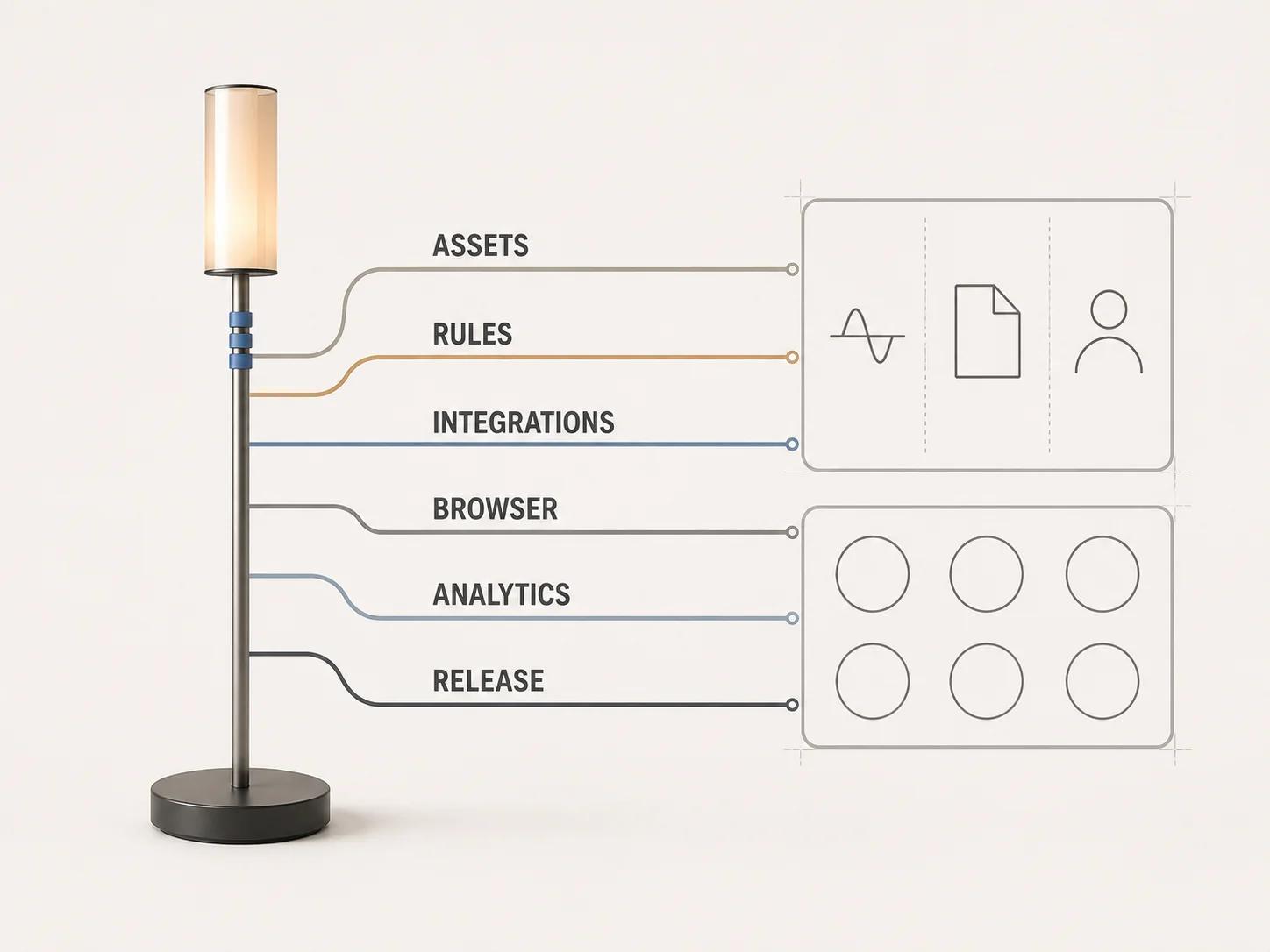
Start with explicit authorization and a named operating owner. Then monitor six connected contracts: assets, rules and state, integrations, browser rendering, analytics, and release control. Each contract needs a signal, a threshold, an owner and retained evidence. Thresholds should come from an approved service objective or a measured healthy baseline; the example gates below are a framework, not universal performance promises.
This article covers operation after launch. The 3D web configurator architecture guide explains the broader browser, state, backend and deployment model. Here, the job is to notice drift before a customer finds it.
Maintain the customer-critical path, not a server
Write down the shortest journey that creates commercial or operational value. For one representative product, that might be: open the configurator, load its default state, select a dependent option, reject an invalid combination, update price, save or share the configuration, add it to a cart or quote, and recover the resulting record. The exact sequence depends on the system. It must use an authorized test product and test account rather than live customer data.
Run that journey synthetically on a fixed release profile, but do not confuse synthetic success with customer health. Field telemetry can reveal device, network, cache and interaction conditions the scripted profile does not cover. A useful incident record connects the journey result to the application version, rule version, asset-manifest version, integration environment and browser family. Without those identifiers, a graph can show a regression while leaving the team unable to reproduce it.
Keep availability separate from correctness. A response can return successfully while showing an obsolete material, accepting an impossible combination or submitting a stale price. Monitor technical completion and business-rule acceptance as different outcomes. Never put confidential configuration payloads into a monitoring service merely to make debugging easier.
Build one operating dashboard around six contracts
The dashboard below is an original Double Edged operating framework. It is intentionally small. A row turns red only when its own defined gate fails; one healthy layer must not hide another.
| Contract | Customer-critical signal | Segment before alerting | Evidence to retain | First owner |
|---|---|---|---|---|
| Assets | Manifest loads; named model, texture and fallback resolve; first usable product state renders | Asset version, product family, CDN region | Release manifest, failed URL, status, transfer timing, screenshot or render-state code | 3D/content pipeline owner |
| Rules and state | Golden configurations replay to the expected validity, option set, price inputs and output ID | Rule version, locale, product family | Input fixture, expected result, actual result, rule trace | Product-rule owner |
| Integrations | Price, inventory, save, cart, quote or order handoff completes with the expected schema | Dependency, endpoint version, environment | Correlation ID, response class, latency band, schema result | Integration owner |
| Browser and 3D | Viewer starts, responds and recovers or falls back without blocking the buying path | Browser engine, device class, graphics tier | App version, browser, context event, custom timing marks | Frontend/3D runtime owner |
| Analytics | Required journey events arrive once, in order, with approved dimensions | App version, consent state, event schema | Event sample, ingestion count, schema version, drop/duplicate result | Analytics owner |
| Release | All affected checks pass on the candidate artifact before promotion | Commit, feature flag, environment | Test run, approver, exception, rollback identifier | Release owner |
Alert on customer impact or a credible leading indicator, not every isolated technical event. A single cancelled request during navigation may be harmless. A sustained rise in failed model loads for one asset version, or a golden rule fixture returning a different price input, deserves a different response. Record the sampling window, minimum volume and suppression rule beside each alert so a later operator can understand why it fired.
Monitor assets as versioned release inputs
Treat each product asset set as code with a manifest. Record stable product and state identifiers, immutable file URLs, expected byte sizes or agreed bands, content hashes, required textures, fallback imagery, export-pipeline version and release status. HTTP caching guidance recommends version or hash values in request URLs for content that does not change; that makes an immutable asset URL a useful deployment primitive rather than a substitute for checking the asset.[8]
Watch resolution failures, unusual transfer size or duration, decode and initialization failures, missing material assignments, unexpected fallback use and a mismatch between the page release and asset manifest. The browser's Resource Timing API exposes timestamps and size fields for fetched resources. Many detailed fields are restricted for cross-origin resources unless the response allows timing access, so verify the CDN's Timing-Allow-Origin policy instead of assuming an empty value means a fast request.[2]
A render-health check should inspect named visual invariants that automation can judge reliably, such as the presence of required mesh groups or the selected material ID. Keep subjective color and finish approval in a controlled visual review. A thumbnail comparison can support that review, but it should not silently approve an asset after a material-library or renderer change.
Test rules and state with golden configurations
Build a small, governed fixture set from the rule catalog. Include the default state, one valid dependent choice, one forbidden combination, one boundary value, one localized case and one saved configuration from the previous supported release. Store expected validity, available options, pricing inputs, output identifiers and human-readable explanation for each fixture.
Run fixtures at three points: when rule data changes, against the assembled release candidate, and after deployment against an authorized production path. Diff meaning, not just JSON shape. An option array can remain syntactically valid while losing a permitted finish. A price service can return a number while using the wrong currency or stale product revision.
Measure unknown option IDs, impossible accepted states, valid states rejected, saved configurations that cannot replay, rule-evaluation errors and divergences between displayed and submitted state. Keep a rule-version identifier in the customer-safe event trail. If no team can explain which source owns a rule or reproduce how it reached production, the problem is governance, not a dashboard-tuning exercise.
Watch integrations as a chain
Map every boundary that can change the customer result: product information, pricing, inventory, authentication, saved configurations, cart, quote, CRM, ERP or order creation. For each one, define the timeout, response classes, schema version, retry policy, idempotency expectation and safe fallback. Contract tests should exercise a known request and verify the business fields the configurator consumes, not merely a successful connection.
Use one interaction or correlation identifier across the browser event, API call and downstream result. OWASP's logging guidance describes an interaction identifier as a way to link events for one user interaction and recommends recording enough context for later analysis. It also warns that sensitive values should be removed, masked, sanitized, hashed or encrypted rather than written directly to logs.[6] For a configurator, log safe product, state-schema and outcome identifiers. Do not log access tokens, unrestricted rule payloads, customer contact details or confidential design selections by default.
Reconcile terminal outcomes. A cart call that timed out in the browser may still have created a line downstream. A retry without an agreed idempotency contract can create duplicates. Monitoring therefore needs both the client-visible result and the authoritative destination result, with an exception queue for ambiguous cases.
Separate browser health from 3D rendering health
Instrument meaningful marks such as viewer requested, manifest received, first usable product state, first successful option change and fallback displayed. The web Performance API supplies built-in entries and custom marks and measures, while PerformanceObserver can receive entries as the browser records them.[1] Report distributions by release, browser engine, device class and product family. Field-measurement guidance recommends percentiles rather than relying on averages, and it warns that analytics collection itself can hurt responsiveness if it does too much work.[3]
Track JavaScript exceptions, rejected promises, viewer initialization failures and explicit fallback activation separately. For WebGL experiences, listen for webglcontextlost and restoration outcomes. The browser fires webglcontextlost when it detects that the drawing buffer associated with a WebGL context has been lost, and the WEBGL_lose_context extension can simulate this path for testing.[4] A handled loss that reaches a usable fallback is not the same incident as a blank buying interface.
Use an approved browser and device matrix based on actual traffic and support commitments. Playwright projects can run the same tests across Chromium, Firefox, WebKit, branded browsers and emulated device configurations.[5] Automation should cover state and interaction contracts; keep physical-device and graphics-specific checks where emulation cannot represent the hardware.
Do not drop accessibility checks during maintenance. When price, validity, save progress or errors update without moving focus, WCAG 2.2 requires status messages to be programmatically determinable so assistive technology can present them without taking focus.[7] Include keyboard completion, visible focus, status announcement and recovery in the release journey.
Keep analytics honest enough to diagnose
Define a small event contract around the maintained journey: configurator ready, option attempted, option accepted or rejected, price requested and resolved, save completed, handoff attempted, handoff accepted, fallback shown and recoverable error. Give each event an owner, schema version, permitted dimensions and consent treatment.
Test that required events arrive once and in order, then reconcile browser emission with collection and reporting totals. Separate “no customer attempted this action” from “the event stopped arriving.” Watch unknown versions, missing required fields, duplicate interaction IDs and impossible sequences. These are instrumentation-health signals, not claims about conversion, revenue or customer satisfaction.
Gate every release with reproducible evidence
Use this release-readiness checklist for the parts changed by the candidate. “Not affected” needs an owner and a reason; it is not an automatic pass.
| Gate | Candidate check | Pass evidence | Release-blocking example |
|---|---|---|---|
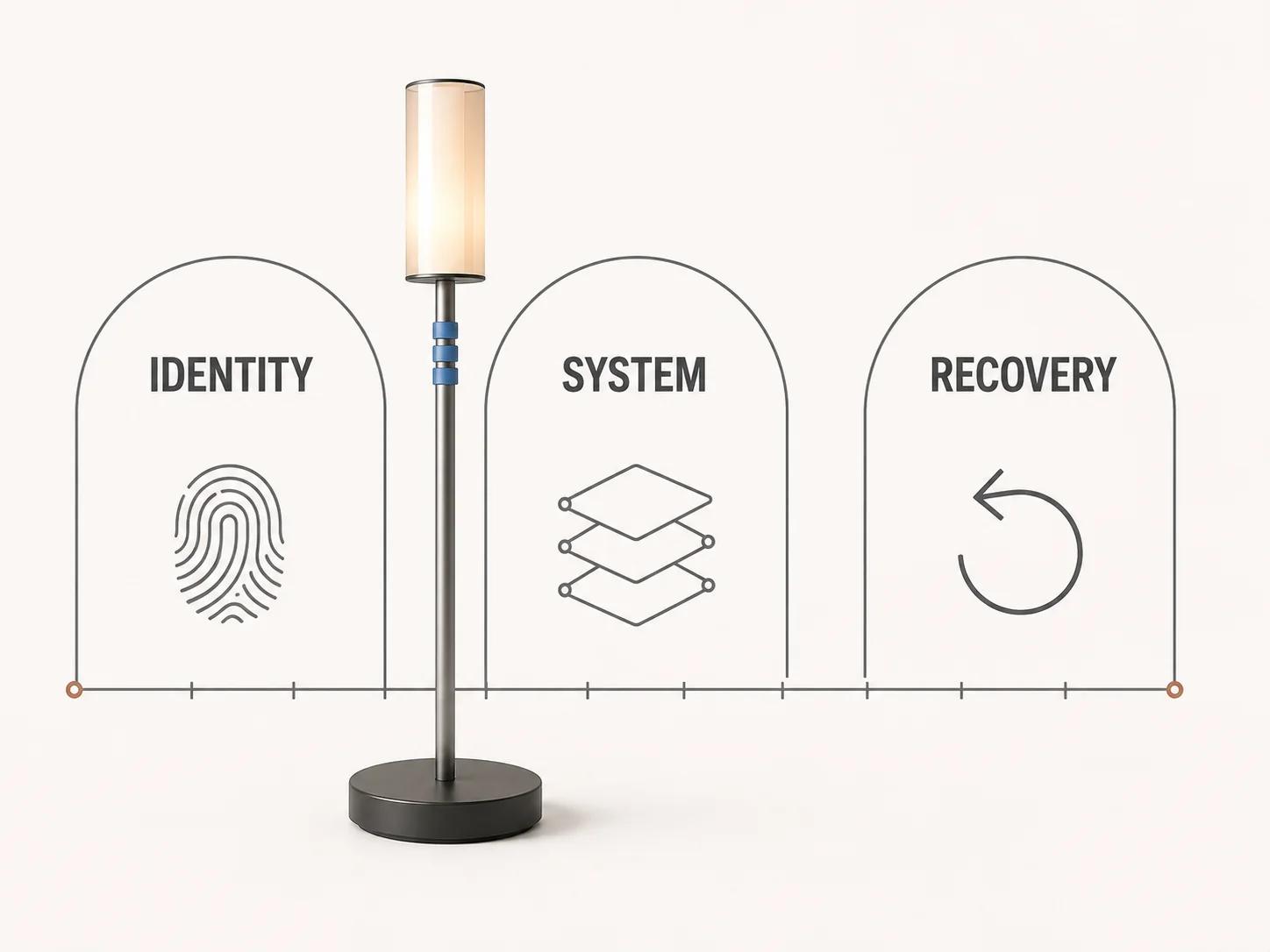
| Identity | Record application, rule, asset, schema and feature-flag versions | One release record links all identifiers | A candidate cannot identify the rule or asset revision it will serve |
| Assets | Load the default and changed states from release URLs, then verify named invariants and fallback | Manifest result, timings and visual review where required | Required model or texture fails, or page and manifest versions diverge |
| Rules | Replay affected golden configurations and one previous saved state | Expected and actual semantic diff is empty or approved | Invalid combination becomes purchasable or a supported saved state cannot replay |
| Integrations | Run contract tests and reconcile the terminal record | Correlation IDs and destination result | Displayed price, cart, quote or order record is missing or inconsistent |
| Browser/3D | Run the support matrix, context-loss path and fallback journey | Per-project results and retained failure trace | Blank viewer blocks the path and no usable fallback appears |
| Accessibility | Complete the changed journey by keyboard and verify dynamic status announcements | Named script, assistive-technology result and exceptions | A rule or price error is visible but not announced |
| Analytics | Compare emitted, collected and reported events for the test journey | Ordered event record with expected cardinality | Required release or outcome event is missing, duplicated or on the wrong schema |
| Recovery | Exercise rollback or flag-disable procedure against the candidate | Tested command or runbook result and owner | Team cannot restore the previous compatible app, rule and asset set |
The gate should reject a release when evidence is absent, not turn missing evidence into a warning by default. Exceptions need a named approver, affected segment, expiry and compensating monitor. Re-run only the affected checks after a bounded fix, but run the complete customer-critical path before promotion.
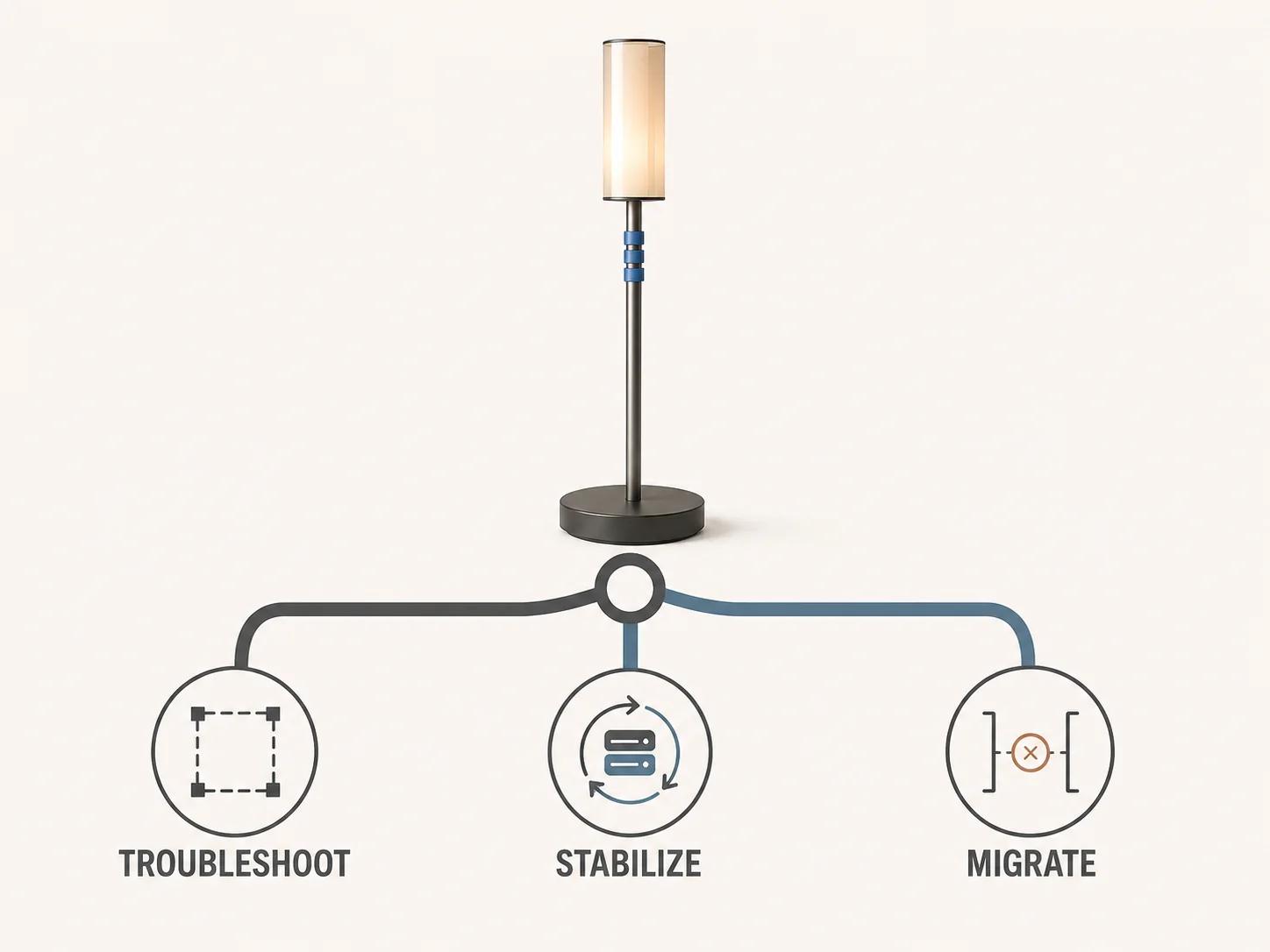
Decide whether to troubleshoot, stabilize or migrate
Use incident history and ownership evidence rather than frustration with one outage.
- Troubleshoot when the failure is bounded, reproducible and tied to a recent asset, rule, integration or application change. Roll back or disable the change, collect the failing identifiers, fix the smallest responsible layer and replay the affected gates.
- Stabilize when failures recur across releases but the team still owns the rules, source assets, integration contracts and deployment path. Freeze unrelated change, restore observability, remove ambiguous handoffs, add golden fixtures and establish a compatible release set before planning feature work.
- Migrate when the current system cannot expose or preserve critical rules, data, assets or integration behavior; supported deployment and recovery paths no longer exist; or the operating risk cannot be reduced inside the present boundary. Treat that as a discovery decision. The configurator replatforming guide owns extraction, parallel validation, cutover and rollback planning.
The Custom Configurator Scope and Budget Estimator opens in existing-system mode for this path. You declare the rules, assets, integrations, outputs, operating model and system condition. The estimator uses those inputs to build an explainable complexity profile and suggest a next step. It does not produce a supplier quote or replace authorized technical discovery.
Set ownership before the next alert
For every dashboard row, record who receives the first alert, who can change the system, who approves customer-facing risk and where the evidence lives. Review the monitors whenever rules, assets, dependencies, browser support, consent handling or release tooling changes. A monitor with no owner is delayed documentation of a failure.
If the operating review shows that maintenance has become a bounded rescue, take the authorized system map, failed gates and ownership gaps to the custom 3D product configurator service. Keep the service discussion separate from the article's job: this guide defines what to watch and what evidence to collect, not a generic promise to repair every system.