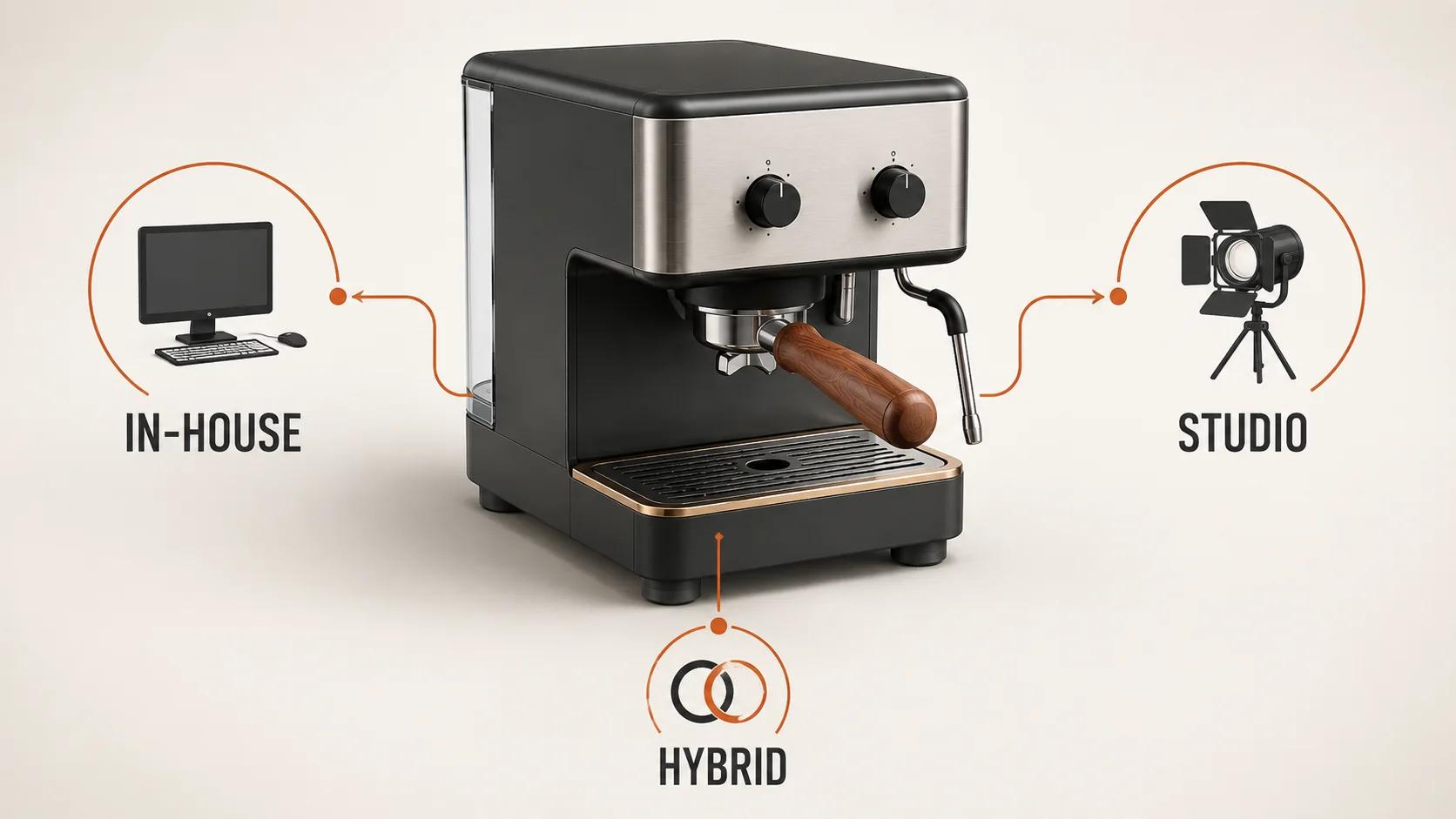
Choose software-led in-house production when demand is steady, someone can own 3D quality, and daily control matters. Choose a studio when demand is uneven, the output needs several disciplines, or you need capacity without building a permanent team. Choose a hybrid when routine production belongs close to the brand but complex work and launch peaks do not.
A software license alone is not an operating model. It gives people tools. The decision is who supplies the people, process, quality control, compute, asset governance, and delivery capacity around those tools.
This guide stays on that operating decision. For the wider category, formats, and commerce uses, start with What Is 3D Product Visualization? A Commerce Team's Guide. Autodesk's own explainer makes the useful distinction that visualization is broader than rendering and can include modeling, texturing, lighting, rendering, and post-production.[1]
The short answer: choose an operating model, not a software logo
The strongest signal is the shape of your demand.
An internal team can be excellent when it has a repeatable product family, reliable source data, enough work to keep its capability practiced, and authority to set standards. It can respond quickly to a color correction or a new camera angle because the people and files are already inside the business. The tradeoff is that the business carries the capability during quiet periods and must keep skills, hardware, documentation, and QA current.
A studio can be the sensible choice for a first program, irregular campaigns, specialist materials, animation, reconstruction, or a launch that would overload the internal team. You buy an agreed outcome and access to a working production bench. You also accept an external queue, a briefing interface, and the need to settle source-file ownership and change terms before production starts.
A hybrid can keep product knowledge, art direction, approvals, and the asset library in-house while a studio handles modeling, material development, hero work, animation, or overflow. That split often fits recurring programs with uneven peaks. It also creates an interface that someone must manage. If naming, versions, or acceptance criteria are vague, the hybrid model can combine the overhead of both sides instead of the strengths.
What buying 3D software actually buys
The search phrase "3D product visualization software" hides several different purchases:
- A broad creation suite can cover modeling, materials, animation, rendering, and automation. Blender describes a pipeline spanning those functions and supports Python customization.[2] Its GPL licensing permits use for any purpose, and Blender states that work created with it belongs to the creator.[3]
- A product-visualization application may focus on CAD import, materials, lighting, cameras, animation, and rendered output. KeyShot's current plan page, for example, lists CAD-format support, a material system, lighting control, animation, and pipeline outputs.[4]
- A material suite may sit beside the main modeling or rendering application. Adobe's Substance 3D page describes Painter, Designer, Sampler, Stager, and an asset library rather than one button that replaces the whole production process.[5]
- A commerce platform may manage, publish, and distribute 3D assets rather than act like an artist's desktop tool. 3D Cloud describes centralized asset management plus create, manage, publish, and export workflows.[6]
These categories overlap, but they are not interchangeable. A team that needs ten campaign stills has a different software problem from a retailer maintaining configurable product data and web experiences. Before comparing prices, write down the required outputs, source inputs, update frequency, approval route, and final handoff. Otherwise a desktop seat, a platform subscription, and a studio proposal can look like competing prices even though they cover different jobs.
The software pages also show why a feature checklist is weak evidence of operational fit. A tool may support materials, CAD import, or bulk publishing. Your team still has to define the material, prepare the CAD, decide what "web ready" means, review the result, and own future changes.
Software-led, studio, and hybrid models compared
| Decision criterion | Internal software-led production | Studio partnership | Hybrid model |
|---|---|---|---|
| Demand shape | Best suited to steady, repeatable work that keeps the capability in use | Best suited to projects, launch peaks, or specialist work that does not justify permanent capacity | Best suited to a stable baseline with periodic specialist or surge needs |
| Day-to-day control | Direct file access and fast routine changes once the pipeline works | Changes run through the agreed brief, review cadence, and studio queue | Internal team controls routine variants; external changes need a clean handoff |
| Skills required inside the business | High: production, art direction, QA, pipeline ownership, and often automation | Lower production depth, but strong briefing, review, and product decision skills still matter | Strong asset ownership and review skills; selected production depth remains internal |
| Capacity and turnaround | Predictable within available staff; hiring, absence, or render load can become bottlenecks | Capacity can flex by agreement; onboarding and availability affect speed | Routine work stays responsive while the partner covers planned peaks |
| Cost behavior | More fixed capacity plus variable compute, storage, add-ons, and hiring costs | More variable project or retainer spend; revisions and scope changes need clear terms | Carries a smaller fixed base plus partner spend and coordination overhead |
| Asset reuse | Can compound well when standards, source files, and product data are maintained | Can compound well if editable assets, naming, rights, and update terms are part of the handoff | Often strong when the brand owns the library and both sides follow one specification |
| Accountability | The business owns output, staffing, and pipeline failures | The partner owns contracted deliverables; the business still owns inputs and approvals | Accountability must be divided explicitly or defects will bounce between teams |
| Common risk | Underestimating people and governance because the license looks affordable | Buying deliverables without securing reusable sources or a practical change path | Paying twice for duplicated work or losing time at the internal-external boundary |
The table is a decision aid, not a scorecard with a hidden winner. A mature internal team can outperform a studio on speed and quality. A well-run studio can cost less than assembling rarely used specialist roles. A hybrid can be efficient or painfully bureaucratic. The details of demand and ownership decide it.
Use six decision criteria before you price anything
Volume and demand shape
Separate volume from predictability. One hundred similar colorways released on a calendar are easier to staff than twenty unrelated hero products arriving without warning. Record the monthly baseline, peak load, product-family similarity, and how often approved assets change. Do not invent a universal SKU threshold; complexity and reuse matter too much.
Control and revision speed
List the changes people actually request. If product marketing adjusts approved colors every week, direct internal access may be valuable. If revisions usually require a new model, material study, or campaign setup, file access alone will not make them fast. For a studio, ask for response windows and review cadence. For an internal team, test who can act when the main artist is unavailable.
Skills and accountability
Name the work before naming the job title: source-data cleanup, modeling, UVs and materials, lighting, rendering, color review, automation, web optimization, and asset management. You may need some of these, not all. The separate guide to what a 3D product visualizer delivers covers that role boundary in detail; this comparison only asks where those responsibilities should sit.
Someone must also have final authority. A technically clean asset can still use the wrong finish. A beautiful render can still show an obsolete component. Put product accuracy, visual approval, and technical acceptance against named roles in every model.
Turnaround and capacity
Ask for two timelines: time to establish the pipeline, and time for a routine item after it exists. Internal production may be slow to start and quick to repeat. A studio may start sooner if its bench and process already fit, then become constrained by booking or review delays. Hybrid production can shorten peaks only when files and standards move cleanly between teams.
Asset reuse and governance
Count the future uses of the source asset, not only today's deliverables. A model might feed stills, a turntable, packaging previews, a web viewer, or later variants, but each output has different technical needs. Review 3D e-commerce examples worth studying when you need to compare experience patterns. Do not assume that one master asset can ship everywhere without derivative work.
Confidentiality and integration
Consider where unreleased CAD, pricing rules, product data, and approvals can live. Internal production offers direct control but still needs permissions and backups. A studio or platform needs a defined secure exchange, retention policy, and access model. If the work touches PIM, DAM, commerce, or configurator logic, include the technical owner in the decision before choosing the production model.
Compare total cost without inventing a break-even point
Public seat prices are useful for budgeting, but they do not make a fair software-versus-studio total.
A dated spot-check on 30 August 2026 illustrates the range:
- Blender publishes its suite as free and open source.[2][3]
- KeyShot listed Professional at US$1,299 per user per year and Business at US$1,599 per user per year, billed annually.[4]
- Adobe's US-facing page showed Substance 3D Collection at US$59.99 per month for an individual and US$119.99 per month per team license on an annual plan billed monthly.[5]
- The inspected 3D Cloud platform page described asset and publishing workflows but displayed no numeric subscription or implementation price.[6]
These observations exclude taxes, local terms, host applications, add-ons, hardware, render or cloud consumption, storage, implementation, content production, and future price changes.
For an internal model, budget the people who operate and manage the pipeline, recruitment or training, workstations and render capacity, software and plugins, storage and backup, review time, documentation, QA, rework, and idle capacity. For a studio, compare discovery and setup, source cleanup, production, derivatives, included review rounds, change rates, urgency, project management, source-file handoff, archive terms, and future updates. A hybrid needs both lists plus the cost of coordination.
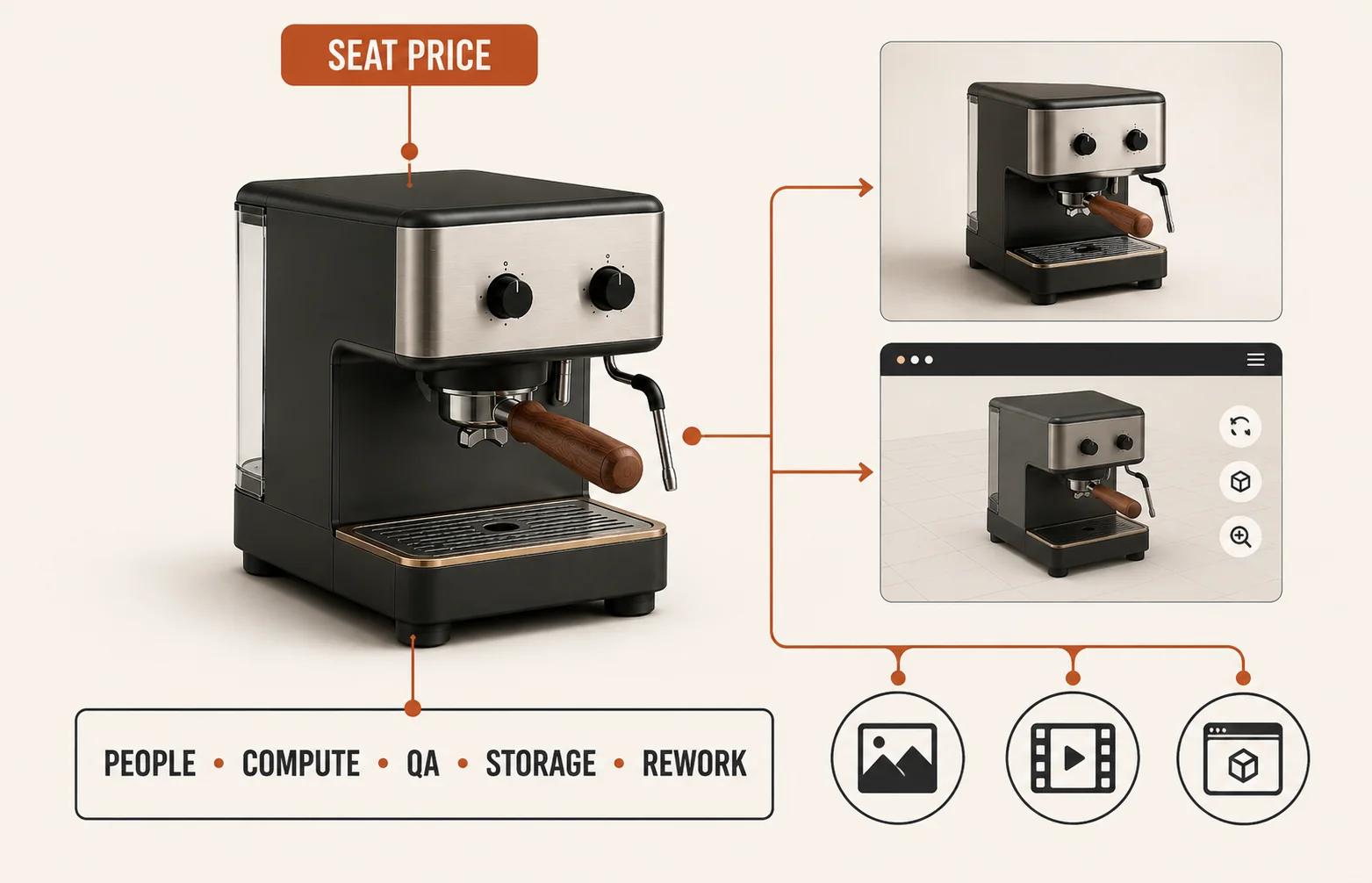
Do not force those buckets into a generic online break-even claim. Use your product count, variants, current production method, available source assets, output mix, channels, and launch cadence.
Compare your own production variables and reuse assumptions. The calculator shows the scenario result before asking for details to save the decision memo.
The build-buy-partner decision tree
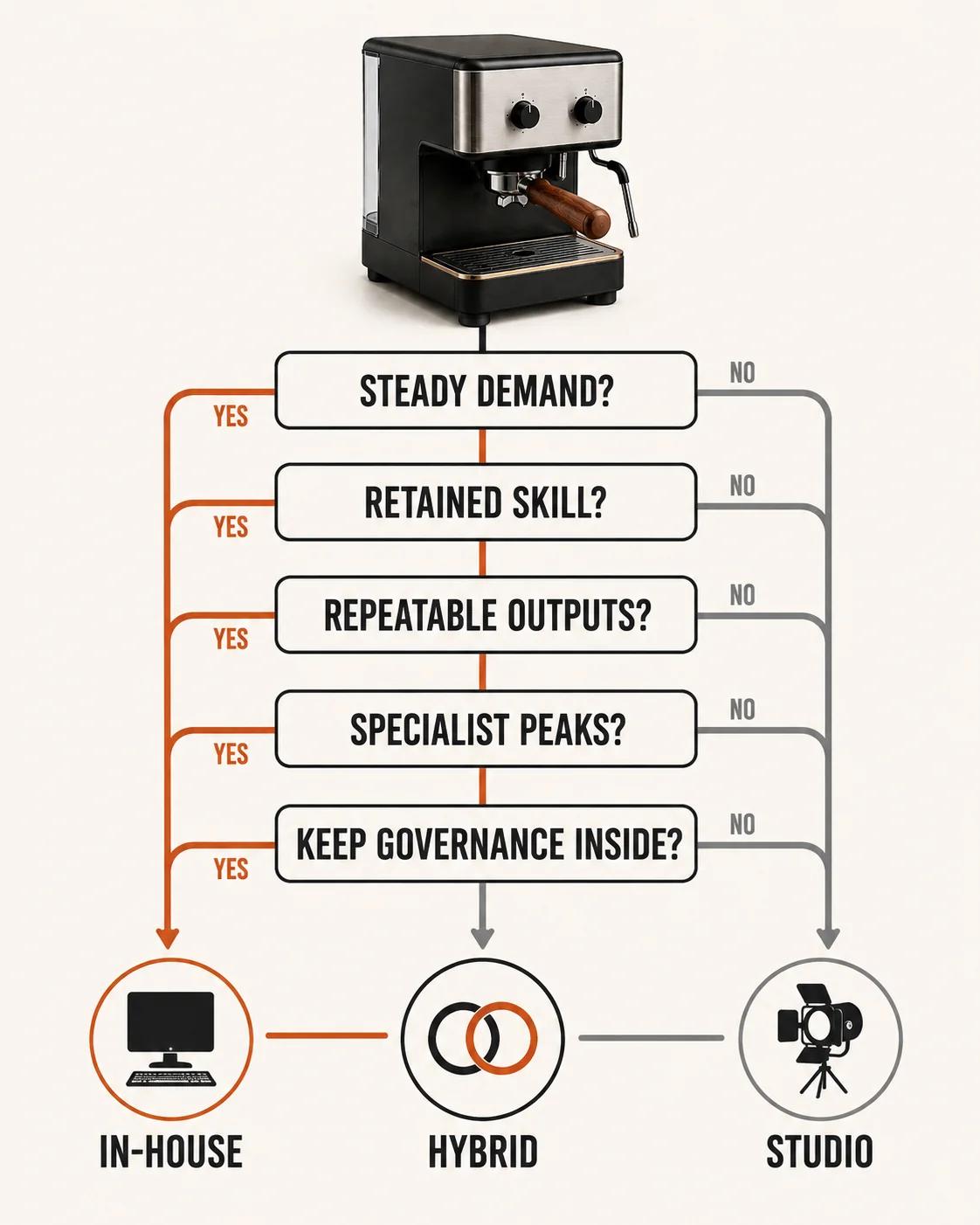
Use this sequence in a working session with marketing, product, and the person who will own the assets:
- Is demand recurring and predictable enough to keep an internal capability practiced? If no, test a studio. If yes, continue.
- Can you assign a skilled production owner and a separate product or brand approver? If no, a software purchase leaves a responsibility gap. Test a studio or a supported hybrid.
- Are most outputs repeatable derivatives from consistent source data? If yes, internal production becomes more attractive. If projects regularly need new disciplines, a studio or hybrid gains ground.
- Do launches create peaks beyond sensible internal capacity? If yes, retain the baseline and plan external overflow instead of staffing permanently for the busiest month.
- Must critical knowledge or integration remain inside? Keep product data, standards, approvals, and asset governance internal, then decide which production stages can move safely.
- Are the answers split? Start hybrid. Define one internal owner, one external owner, and one acceptance gate rather than letting every task move ad hoc.
This is the brief's original build-buy-partner framework. It deliberately has no automatic score or volume threshold. Those would look precise while hiding differences in product complexity, current skills, and reuse.
Protect asset reuse and handoff in any model
Owning a rendered JPEG is not the same as owning a maintainable product asset. Before work starts, specify which editable scenes and models will be delivered, how materials and textures are packaged, how products and variants are named, which derivative uses are permitted, what target formats and quality checks apply, and how archives and future changes work. Treat that list as an operational requirement, not contract boilerplate.
In-house teams need the same discipline. Files trapped on one workstation or understood by one artist are not meaningfully reusable. A studio should not be marked down merely for using its own production stack, and an internal team should not be marked up merely because files sit on company storage. Test whether another qualified person can find, open, understand, revise, and re-export the asset.
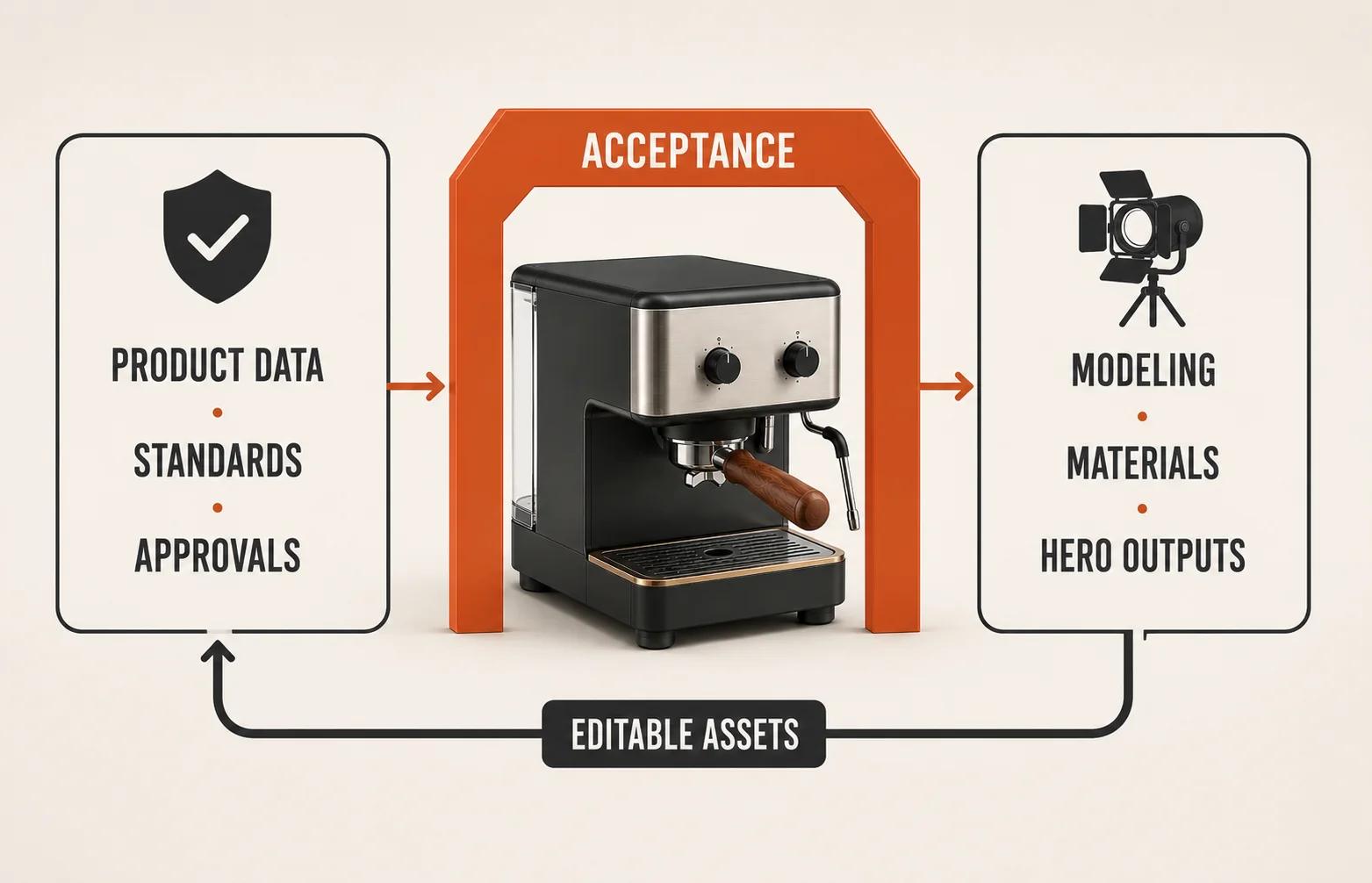
If a studio partnership is the better fit, compare its proposal against the same ownership and acceptance criteria before reviewing the 3D product rendering service. The service destination is a commercial next step, not evidence that partnership wins this decision.
Run a representative-product pilot
The cleanest comparison uses one representative product, not each side's favorite demo.
Give the internal team or software trial and the studio the same available CAD, drawings, references, material standards, required views, output sizes, deadline, and review access. Define what counts as product-accurate and visually approved. State the included revision assumption. Require the same source-file, naming, and derivative handoff where licensing allows it.
Then record what happened:
- elapsed time, plus time spent waiting for inputs and approvals;
- internal stakeholder hours, not only artist or studio hours;
- defects found at product, visual, and technical review;
- effort to create the next colorway, camera, or channel derivative;
- how understandable and reusable the delivered files were; and
- which risks would grow at normal monthly volume.
Do not compare a polished studio result with an untrained employee's first afternoon in unfamiliar software. Do not compare an internal team's established pipeline with a studio that received a vague brief and late source files. The pilot is fair only when both routes receive enough setup to show how they would actually operate.
A paid studio pilot may be the honest comparison when real modeling or material work is required. A free software trial can test access and usability, but it cannot prove production capacity without the people who would run it.
Which model fits your team?
Choose internal software-led production when the work is frequent and repeatable, direct control is worth carrying the capability, and you can assign ownership beyond a single artist. Its biggest advantage is accumulated product and pipeline knowledge. Its biggest risk is mistaking a tool purchase for a staffed operation.
Choose a studio when demand is project-shaped, specialist, uncertain, or peaky, and when a defined external outcome is preferable to hiring and maintaining every capability. Its biggest advantage is flexible access to a working team. Its biggest risk is weak briefing or a deliverable-only contract that makes later reuse expensive.
Choose hybrid when the brand needs internal product knowledge and routine responsiveness but not every discipline at full-time capacity. Its biggest advantage is selective depth. Its biggest risk is an unmanaged handoff.
If the answer is still unclear, do not buy a large stack or award a catalog-wide contract. Run the representative-product pilot, inspect the reuse path, and choose the smallest model that your team can govern well.